Quest & Dialogue System
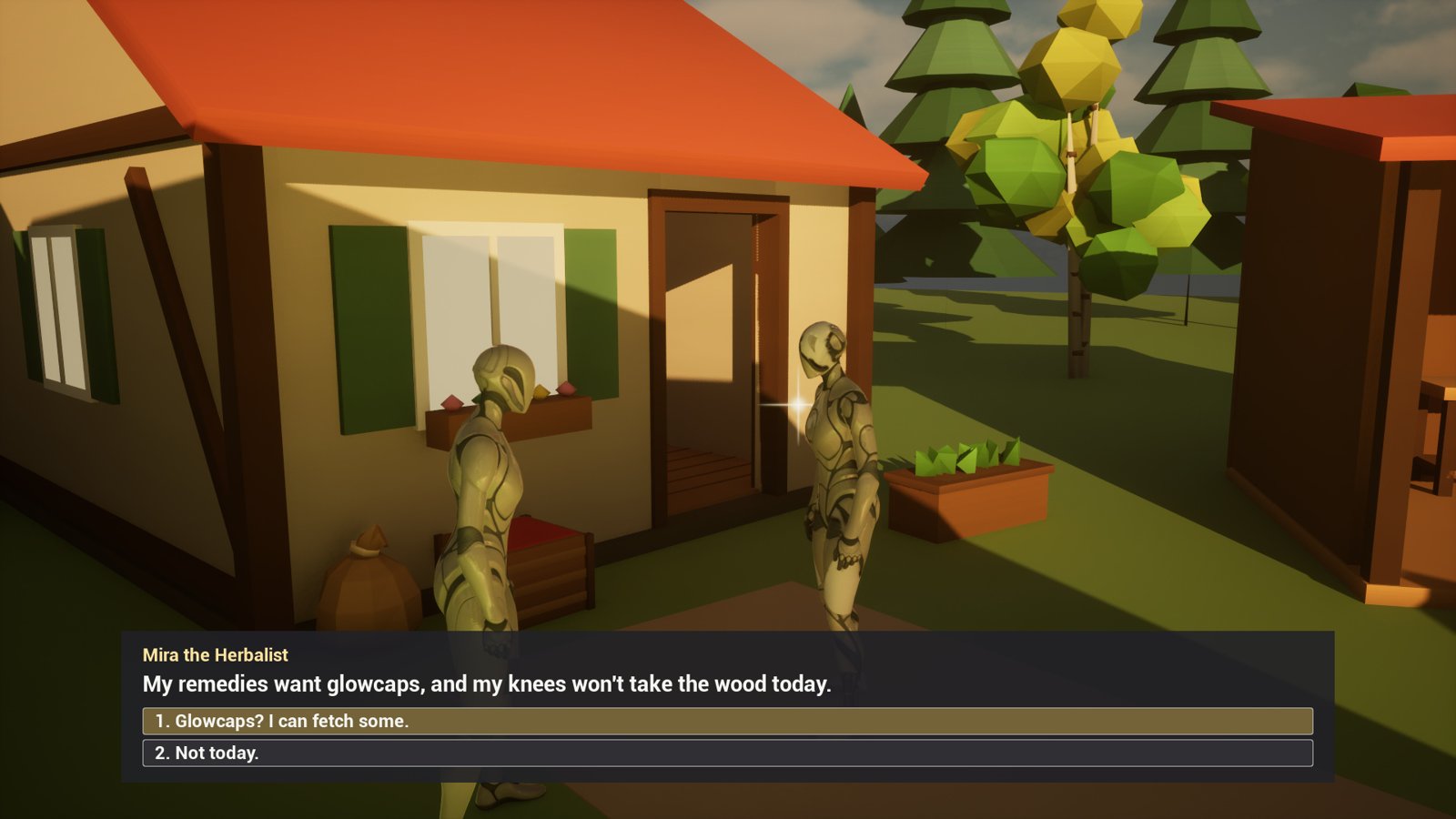
Quests and branching dialogue for Unreal Engine 5.6 to 5.8, as one C++ plugin with all of it usable from Blueprint. Dialogue is written as text scripts, quests are data assets, and both work in multiplayer and save into your own save game.
Try it first: the playable Windows demo is free, about 300 MB; unzip it and run the exe.
What it does
- Quests are data assets: a title, a description, and stages of objectives that run at once. A quest can require other quests or tags, give tags when it completes, repeat, and be tracked on screen. Every state is there: inactive, active, completed, failed and abandoned.
- Progress comes from one node, Report Quest Event, with a gameplay tag and a count. Call it from anything in your game. A Quest Trigger actor covers “reach this place” objectives, and talking to a speaker covers “talk to” ones.
- Dialogue is a
.qdstext file: speakers, lines, numbered choices, jumps, and conditions on quests and tags. Lines can start and complete quests, give tags and fire events for Blueprint. Scripts diff and merge in source control like code. - Ready-made UI: a dialogue box, a quest log and a tracker, each replaceable by your own Widget Blueprint.
- A glint on what the player can talk to or pick up, a small sparkle each NPC or item can carry and a game can turn off.
- Gestures: a script’s
do giveanddo takeshow a hand-over, your montages or the plugin’s own poses, and a reach to the ground picks things up. - Multiplayer: the server owns each player’s quests and replicates them to that player only.
- Save: one node writes every quest and tag into your save game, and one reads them back.
What’s in the zip
| Folder | What it holds |
|---|---|
Source/QuestDialogue |
The plugin itself: quests, dialogue, the components, UI, save and multiplayer. |
Source/QuestDialogueEditor |
The editor’s part: the .qds importer, the Quest entry in the Content Browser’s menu, and the packaging rule for the settings’ assets. |
Source/QuestDialogueDemo |
The demo’s game mode and characters. Nothing of yours depends on it. |
Content/Input |
The input actions and the mapping context for talking and the quest log. |
Content/Glint |
The glint’s material, M_QDGlint. |
Content/Demo |
The demo village map, its quests and its dialogue scripts. |
It needs the engine’s Enhanced Input plugin (Install) and runs on Windows, Mac and Linux.
The demo
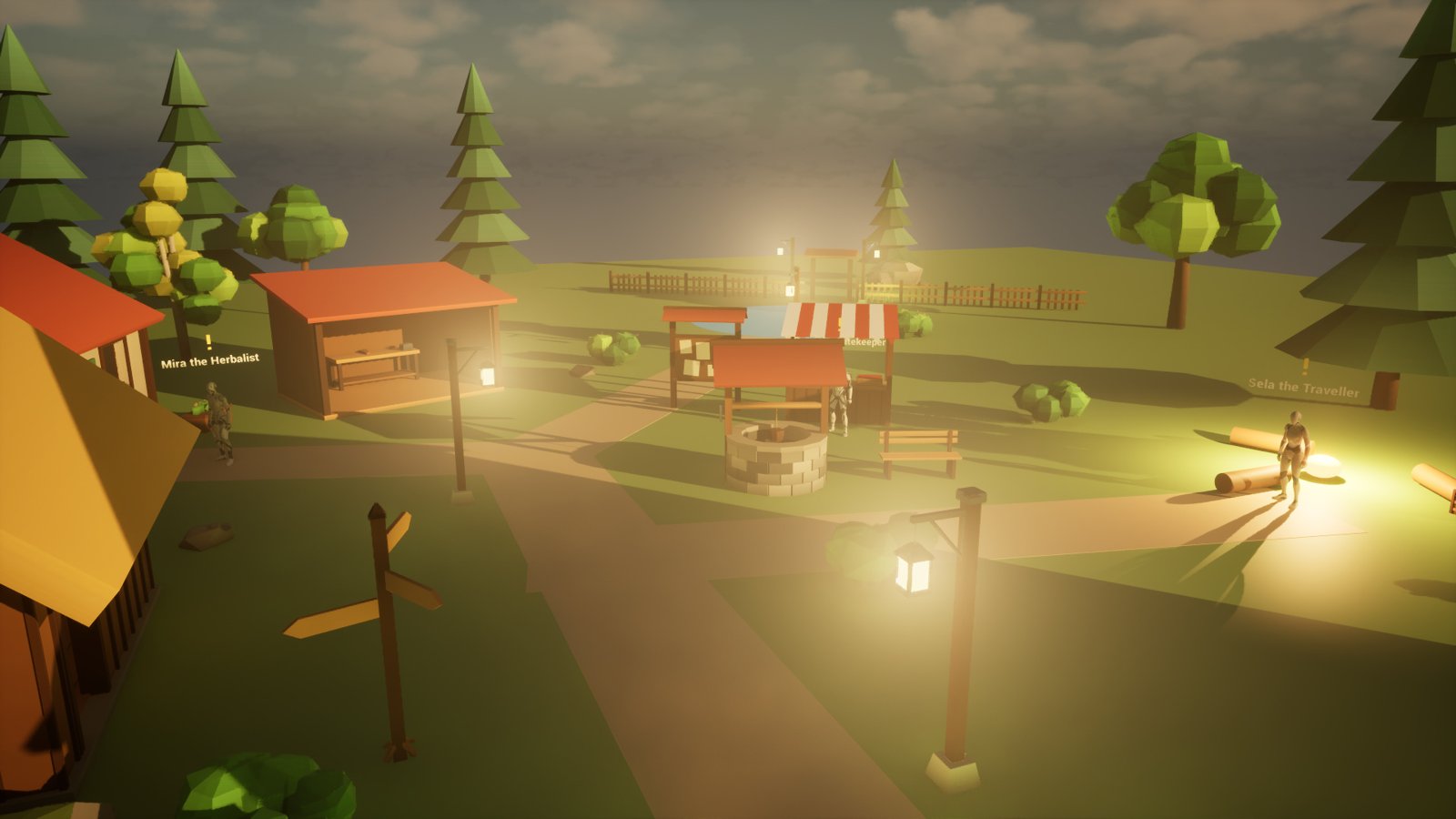
The village above is the plugin’s own map, Demo/L_Demo, with three people and three quests.
- Show the plugin’s content in the Content Browser (how).
- Open Plugins > Quest & Dialogue System > Demo > L_Demo and press Play.
Its World Settings use the demo’s own game mode, so it plays the same in any project. F1 hosts a listen server and F2 joins one on the same PC, to try multiplayer. F5 saves the quests, F9 loads them, and Tab shows the mouse cursor. A glint marks each person and mushroom near enough to reach.
Where to go next
- Install: from Fab to the plugin enabled in your project.
- Quickstart: a quest you can play in your own map, in fifteen minutes.
- How-tos: kills, rewards, quest chains, dialogue events, your own UI, glints, save, co-op.
- Dialogue scripts: the
.qdsformat, line by line. - Reference: every Blueprint node, setting and console command.
- Troubleshooting: when something doesn’t happen as it should.
Questions and bug reports are welcome in the listing’s comments on Fab, or by email to spyridwn.pd@gmail.com.