Inventory, Equipment & Crafting System
An inventory for Unreal Engine 5.6 to 5.8 that you add to your own character as components: one C++ plugin, with all of it usable from Blueprint. Items are data assets. The plugin covers bags, hotbars, chests and grids, gear seen on the body, crafting at a workbench, and vendors and loot. It works in multiplayer and saves into your own save game, and its default screen plays with a mouse or a gamepad.
Try it first: the playable Windows demo is free, about 300 MB; unzip it and run the exe.
What it does
- Items as data: an item is a data asset with a name, icon, mesh, stack size, weight, size in a grid, tags, rarity and value. Traits add what it does: worn, used, worn out, graded. Each stack carries its own quality, wear and values.
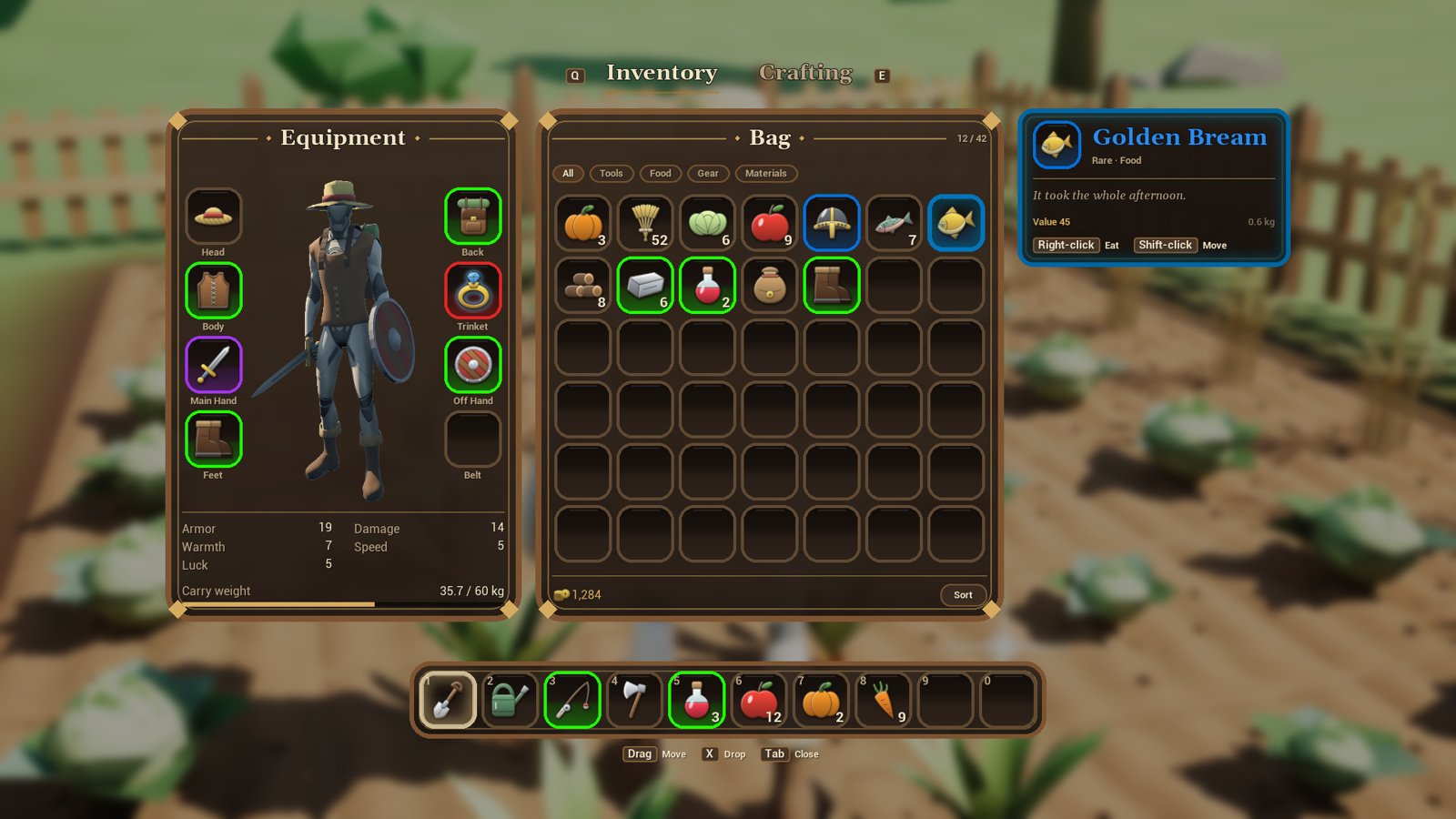
- Containers: one component for a bag, a hotbar, a chest, a crate or a stall. A container is either slots or a grid, where an item takes its size in cells and turns on its side. Weight, slot and tag limits are optional. The player drags, splits, merges, sorts, moves an item in one click, drops it and picks it up again.
- Equipment: eight slots by tag (head, body, back, main hand, off hand, feet, belt, trinket). The equipment sums the stats of what’s worn, and every player sees the gear on the body: a mesh on a socket, or a piece skinned to the skeleton. An event fires on every change, for your anim Blueprint or your own stats. With the Gameplay Ability System, worn items grant abilities and effects.
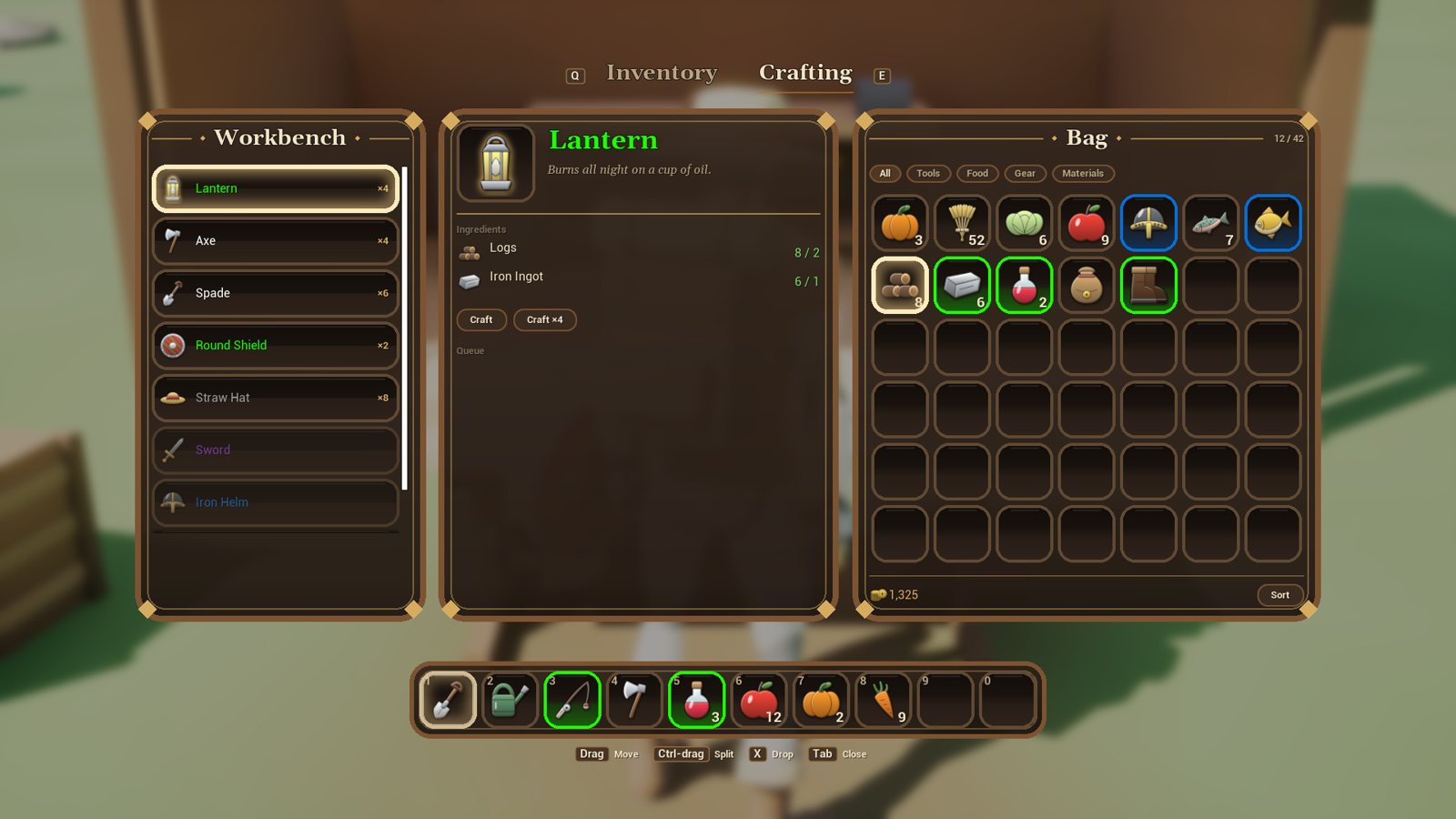
- Crafting: recipes are data with inputs, outputs, a station and a time. Stations are an Inv Station on any actor of your level, a workbench or a cooking fire. A queue works through orders, and a tag unlocks a recipe.
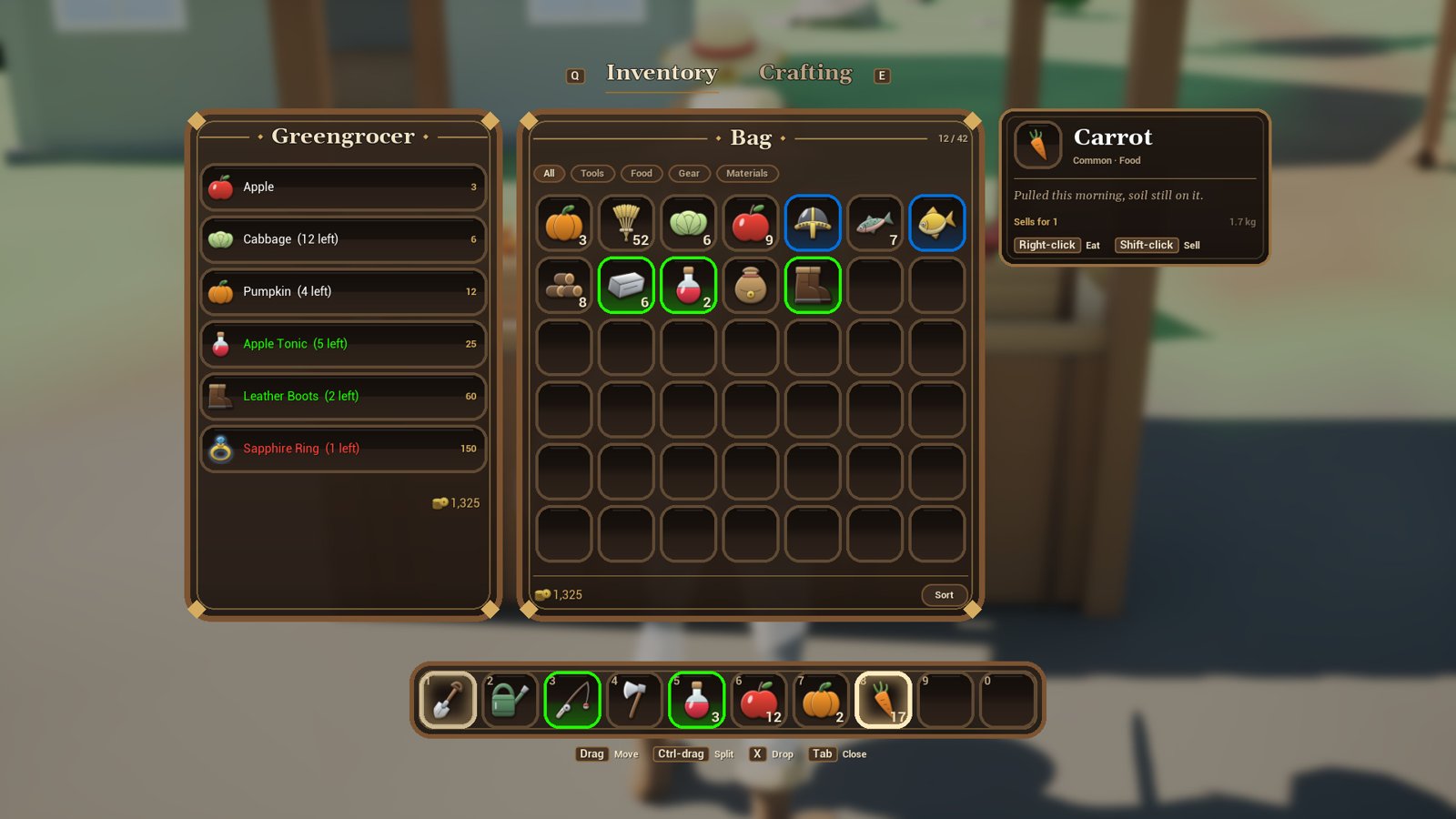
- Trade and loot: vendors have stock, prices and what they’ll buy, paid into a wallet of currencies on the player or as a currency item in the bag. Loot tables are weighted and seeded and fill chests, crates and drops.
- Multiplayer: the server holds every container. A player’s move is a request it checks, then replicates. A player’s bag goes to that player alone; what they wear goes to everyone.
- Save: one node saves a player’s containers, another the level’s chests, stalls and items on the ground. Both go into your own Save Game object.
- The screen: the bag, hotbar, equipment with a live preview of your character, crafting, chests, vendors and tooltips that compare an item with what’s worn. Mouse, keyboard and gamepad all work, and the key hints follow the device in your hand. A style asset sets the look; any widget can be replaced, and none of them holds state.
- Debugging:
Inventory.*console commands, a Gameplay Debugger category, and Data Validation of items and recipes.
What’s in the zip
| Folder | What it holds |
|---|---|
Source/InventoryCrafting |
The plugin itself: items, containers, equipment, crafting, vendors, pickups, the player component, the default widgets, save and multiplayer. |
Source/InventoryCraftingGAS |
Two item traits for the Gameplay Ability System: abilities and effects while worn, an effect on use. |
Source/InventoryCraftingDemo |
The demo’s character, kit, stalls and keys. Nothing of yours depends on it. |
Content/Examples |
25 example items (DA_Apple to DA_Wheat), 8 recipes (RC_StrawHat, RC_Lantern…) and a loot table, LT_Chest. |
Content/Icons |
The items’ 25 icons. |
Content/Gear |
The worn gear’s meshes: a straw hat, an iron helm, a pack, a lantern, a pouch, a ring, a shield and a sword, and a jerkin and boots skinned to the UE5 mannequin’s skeleton. |
Content/Meshes |
SM_InvSack, the look of an item on the ground that has no mesh of its own. |
Content/UI |
The style, DA_InvStyle, with its frames and fonts, and the preview’s and glint’s materials. |
Content/Demo |
The demo village and its kit. |
It needs the engine’s Enhanced Input and Gameplay Abilities plugins, which it turns on with it. You don’t have to use the Gameplay Ability System: only its module loads. It runs on Windows, Mac and Linux.
The demo
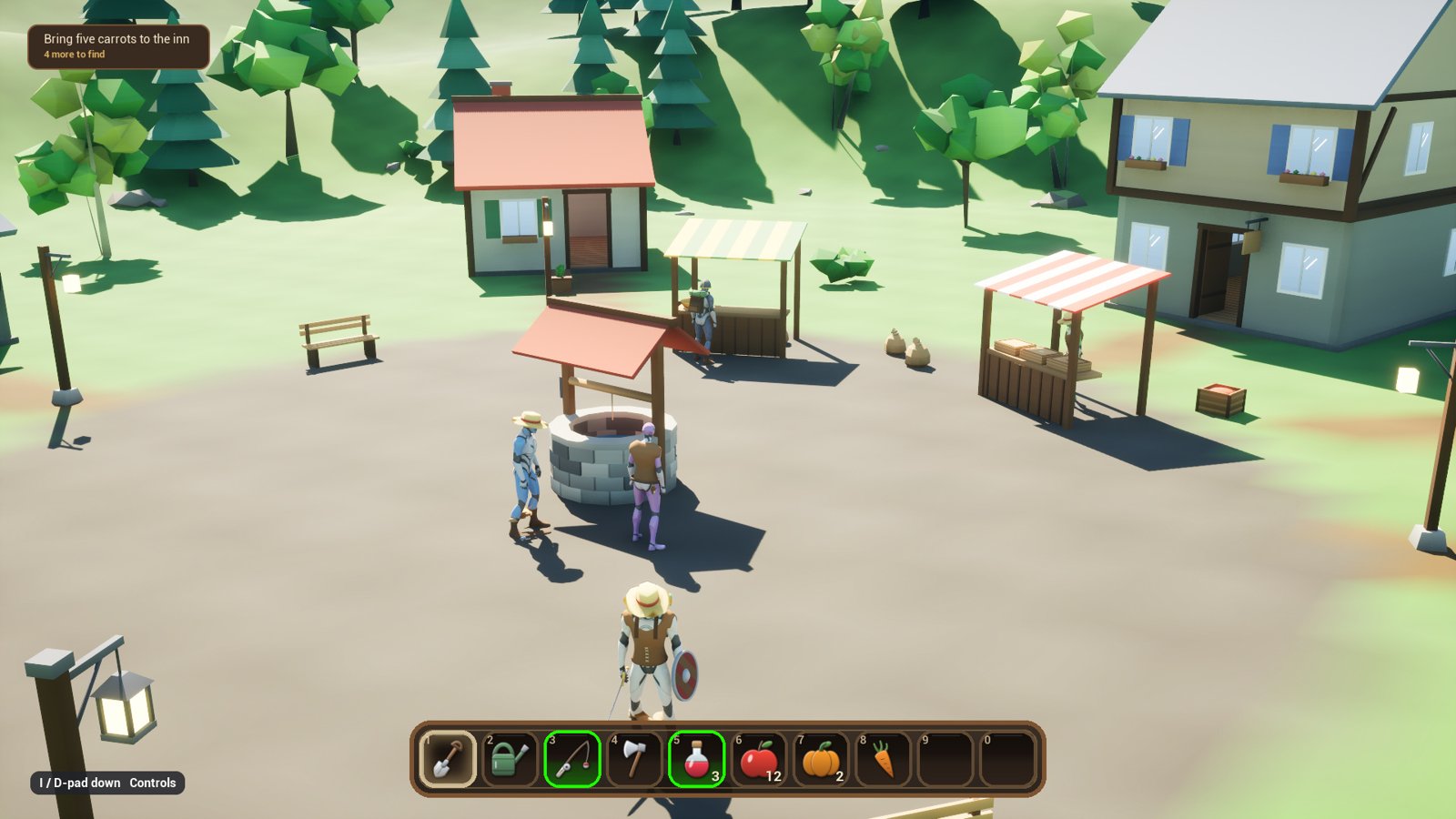
Demo/L_InvDemo is a village square on market day. Carrots wait to be pulled from a field, and a
crate holds an axe and a sword in its grid and a loot roll. At the workbench the player can make a
lantern of logs and iron; an anvil and a cooking fire stand in the workshop too. A greengrocer buys and sells for coins, and an
errand, “Bring five carrots to the inn”, counts down at the top left. The player starts with a
kit in the bag, on the hotbar and worn. A second player who joins starts by the workshop.
- In the Content Browser, show the plugin’s content.
- Open Plugins > Inventory, Equipment & Crafting System > Demo > L_InvDemo and press Play.
Walk with W A S D and the mouse, and jump with Space. Tab opens the inventory and closes it, and E picks up, opens, trades or crafts at what’s in reach. 1 to 0 pick the hotbar’s slot. F5 saves, F9 loads and R twice starts over. On a gamepad, View opens the inventory, X uses what’s in reach, and the D-pad moves along the hotbar. A card at the left lists the controls (I or D-pad down hides it), and G or Y opens a guide to what to try. A screen’s own keys are on a line under it while it’s open.
The demo’s player and villagers wear the Third Person template’s mannequin when your project
has it (/Game/Characters/Mannequins), and are plain painted figures otherwise. The plugin doesn’t ship Epic’s
mannequins.
Where to go next
- Install: from Fab to the plugin enabled in your project.
- Quickstart: a bag, a hotbar, equipment and a recipe on the Third Person character, in fifteen minutes.
- How-tos: your own items, recipes and stations, chests and vendors, saving, your own UI, multiplayer, and heyheythere’s other plugins.
- Concepts: how items, containers, the player component and the server fit together.
- Reference: every Blueprint node, asset field, setting and console command.
- Troubleshooting: when something doesn’t do what it should.
Questions and bug reports are welcome in the listing’s comments on Fab, or by email to spyridwn.pd@gmail.com.