NPC Behavior & Daily Life System
NPCs that live in your world, for Unreal Engine 5.6 to 5.8, as one C++ plugin with all of it usable from Blueprint. Each NPC scores what it could do and does the best: work, eat, sleep, chat, patrol, chase or follow. A score panel over its head shows why.
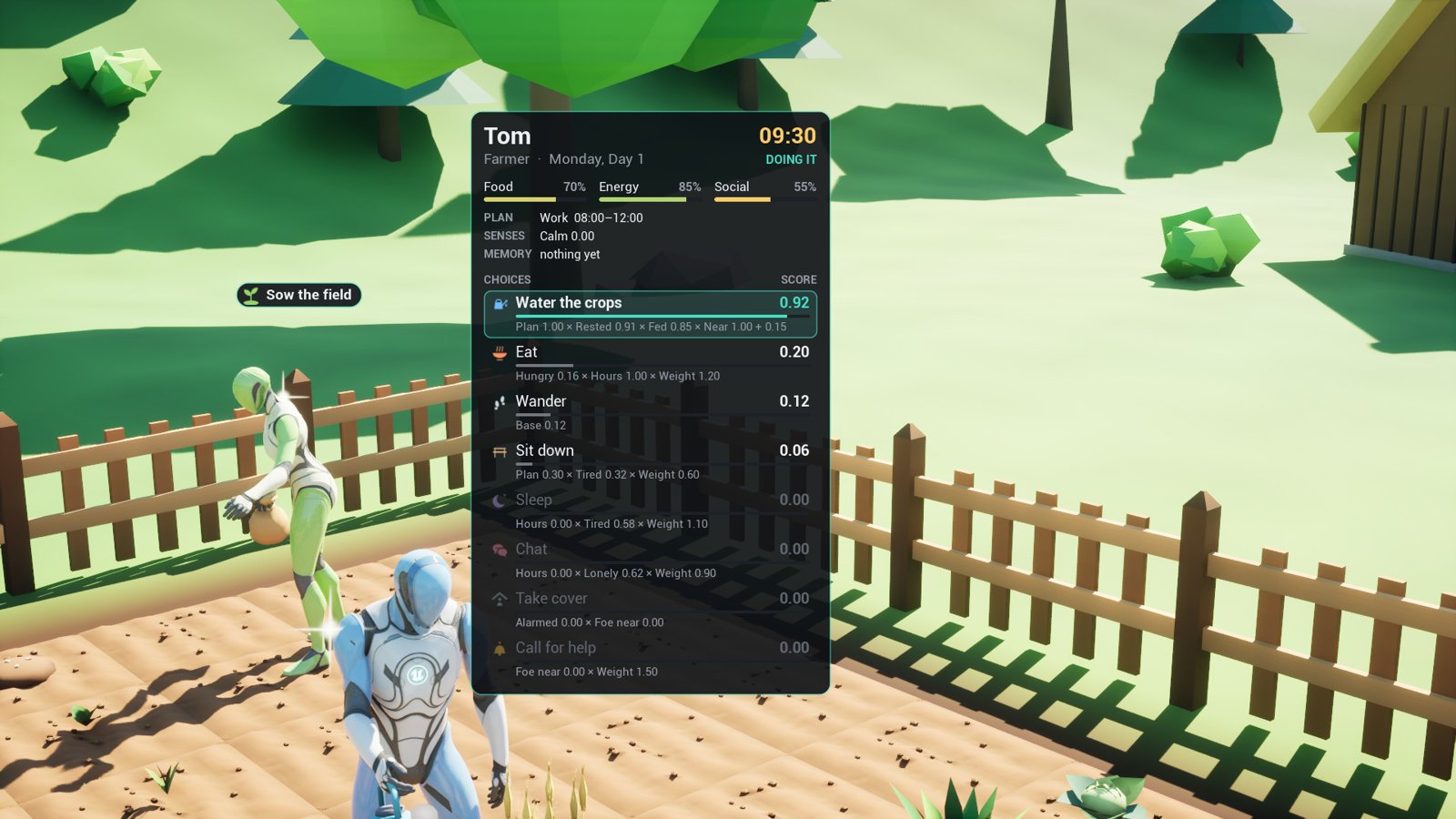
Npc.Debug Tom: the farmer’s needs, his plan and every choice’s score, as they change.What it does
- A utility brain: each NPC scores its behaviours a few times a second, from its needs, the hour, its day plan, the distance to a free spot, what it remembers and what it senses, and does the best. A little momentum keeps it from flickering between two close choices.
- Behaviours as assets: sixteen ready ones, from Work, Eat and Sleep to Patrol, Chase and Follow, each a short list of steps. Copy one and change it, or write a step or a consideration in Blueprint.
- Day plans on the game’s clock: sleep 22:00 to 06:00, work 08:00 to 17:00 with lunch at noon, by weekday and season if you like. The clock is the plugin’s own or your game’s.
- Spots in your level: an NPC walks to a free work, eat, sleep, sit or talk spot, takes it and does the behaviour there. Epic’s Smart Objects serve as spots too.
- Needs and memory: food, energy and company fall by the hour and fill at spots; an NPC remembers who it saw, heard, was hurt by or helped, and forgets it slowly.
- Senses and factions: sight and hearing on AI Perception, a suspicion that rises to alarm, and factions that say who is friendly or hostile.
- Guards, enemies and companions: patrol, investigate a noise, call for help, chase, shove, take cover, flee when hurt; companions follow, wait and help. Your own attack and health plug in through an interface.
- Motion by tag: each behaviour names an animation tag, which plays your montages on your skeleton. Until you bind any, the plugin poses the mannequin’s bones itself: bent to work, seated, asleep. It ships no animation of its own.
- A glint on what the player can talk to or use, a small sparkle each NPC or prop can carry and a game can turn off.
- The debugger: the score panel, a Gameplay Debugger category and
Npc.*console commands. - Multiplayer and save: the server runs the brains, clients see what each NPC does and says, and the clock and every NPC’s needs and memory save into your own save game.
What’s in the zip
| Folder | What it holds |
|---|---|
Source/NPCLife |
The plugin itself: the brain, behaviours, roles, spots, the clock, the NPC character, the widgets, save and multiplayer. |
Source/NPCLifeStateTree |
A State Tree task that runs an NPC behaviour, an alert condition, and a step that runs a State Tree. |
Source/NPCLifeSmartObjects |
Smart Object slots used as spots. |
Source/NPCLifeDemo |
The demo’s villager, walker, keys and game mode. Nothing of yours depends on it. |
Content/Behaviors |
The sixteen behaviours, BH_Work to BH_Follow. |
Content/Roles |
Four roles: R_Villager, R_Guard, R_Bandit and R_Companion. |
Content/Icons |
Seventeen icons the behaviours show over heads and on the panel. |
Content/Glint |
The glint’s material, M_NLGlint. |
Content/Demo |
The demo town, its buildings and props, and the farmer’s, farmhand’s and baker’s roles. |
It needs the engine’s State Tree, Gameplay State Tree, Smart Objects and Enhanced Input plugins, which it turns on with it. It runs on Windows, Mac and Linux.
The demo
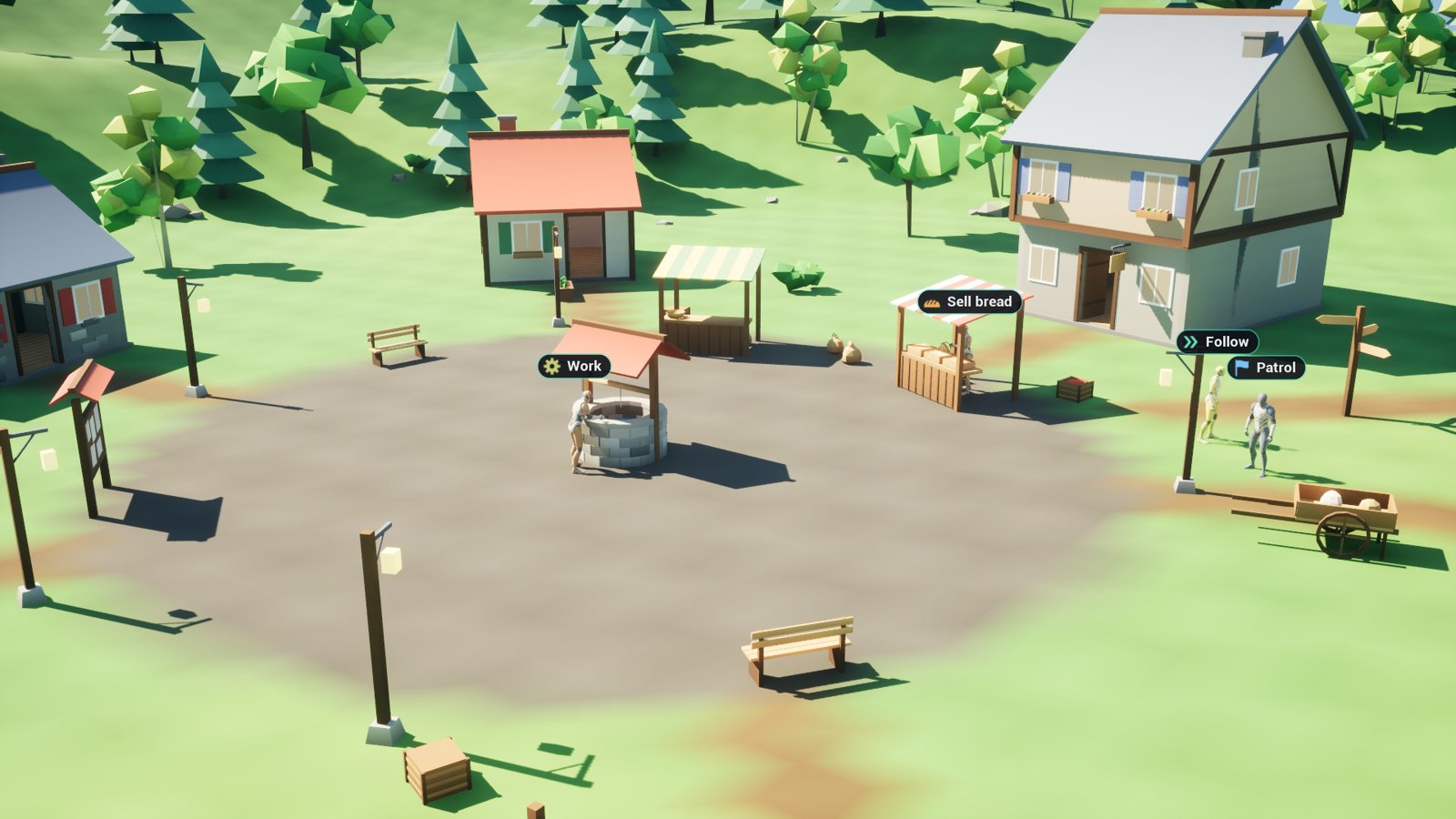
Demo/L_Town is a small town with eight people in it. Tom waters the field and Edda sows it, Mara
sells bread at her stall, Olin and Wren work at the well and the workshop. At noon they go to eat,
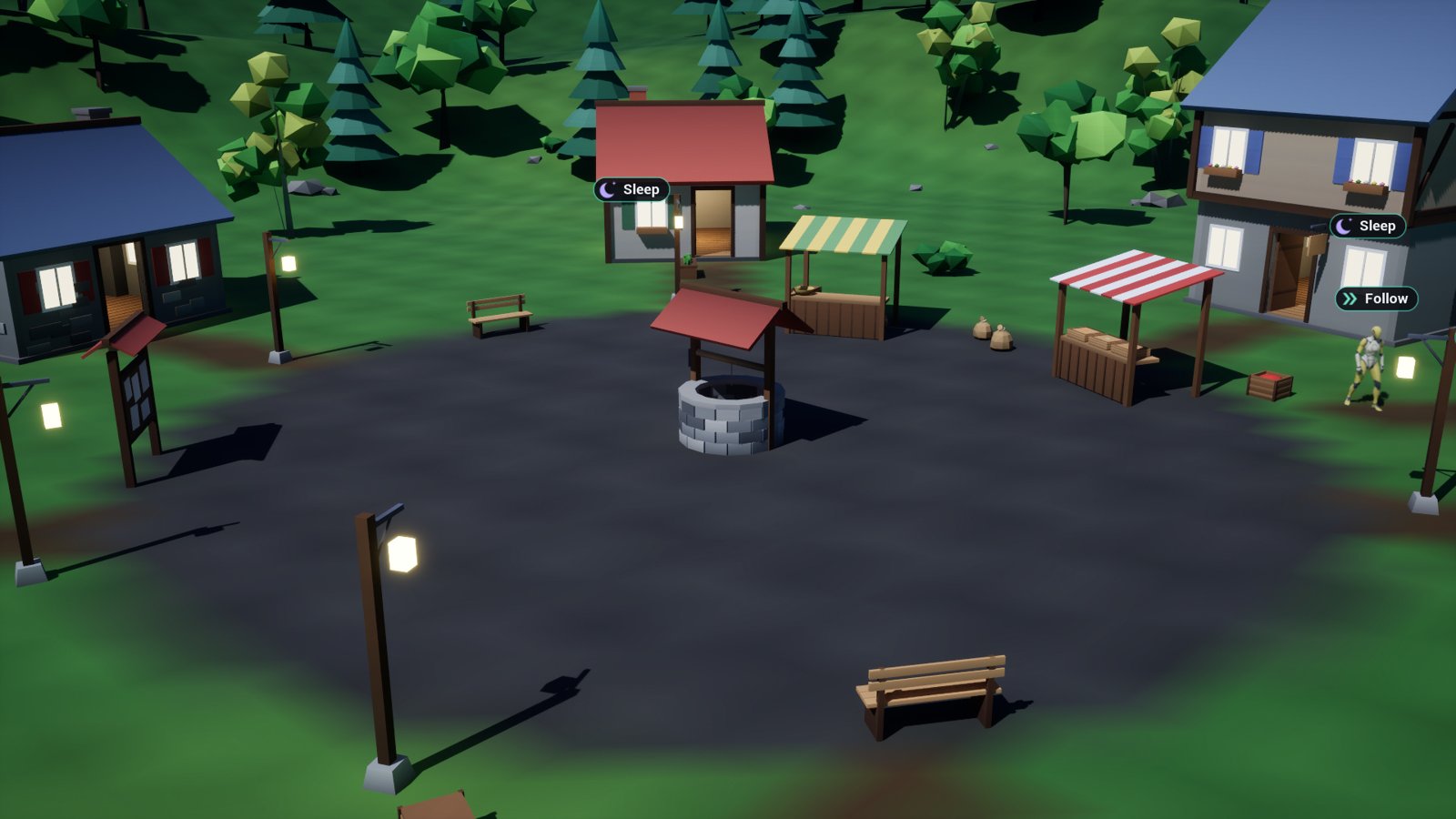
in the evening they chat at the well, and at night each walks home to a bed. Bram the guard
patrols and goes to look at noises, and Pip follows him. Up the pass between the hills, Vex the
bandit keeps a camp: go near it and he comes after you. At dusk the lamps and windows light.
- In the Content Browser, open Settings and turn on Show Engine Content and Show Plugin Content.
- Open Plugins > NPC Behavior & Daily Life System > Demo > L_Town and press Play.
Walk with W A S D and the mouse, run with
Shift. E opens the score panel of the villager you walk up to (a glint by the
shoulder fades in when you’re near enough), F
makes a noise the guard comes to see about, and T moves the clock an hour on. A line at
the foot of the screen says so. In the console (`), Npc.Time 21 jumps to the
evening and Npc.Speed 30 runs the day thirty times faster. Its World Settings use the demo’s own
game mode, so it plays the same in any project.
The villagers wear the Third Person template’s mannequins when your project has them
(/Game/Characters/Mannequins), and plain stand-ins otherwise. The plugin doesn’t ship Epic’s
mannequins.
Where to go next
- Install: from Fab to the plugin enabled in your project.
- Quickstart: a villager who works, eats and sleeps in your own level, in fifteen minutes.
- How-tos: your own character and animations, a behaviour of your own, guards and enemies, a companion, your game’s clock, saving, and the other heyheythere plugins.
- Concepts: how brains, behaviours, roles and spots fit together.
- Reference: every Blueprint node, asset field, setting and console command.
- Troubleshooting: when an NPC doesn’t do what it should.
Questions and bug reports are welcome in the listing’s comments on Fab, or by email to spyridwn.pd@gmail.com.