Status effects
The thirteen statuses that ship, what each does and for how long, and how to change them or add
your own. Each is a Gameplay Effect Blueprint in the plugin’s Effects folder, GE_<Status>.
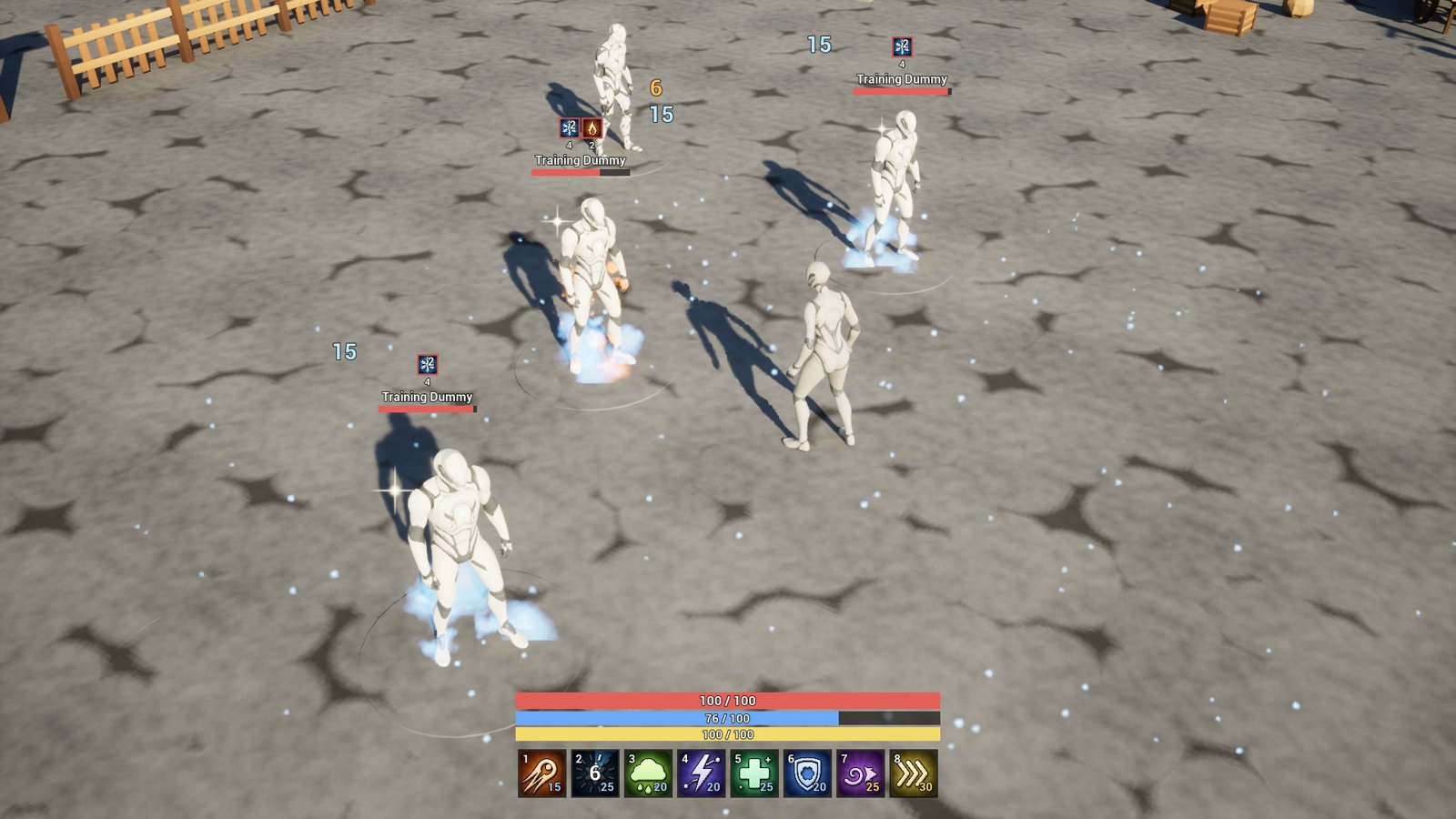
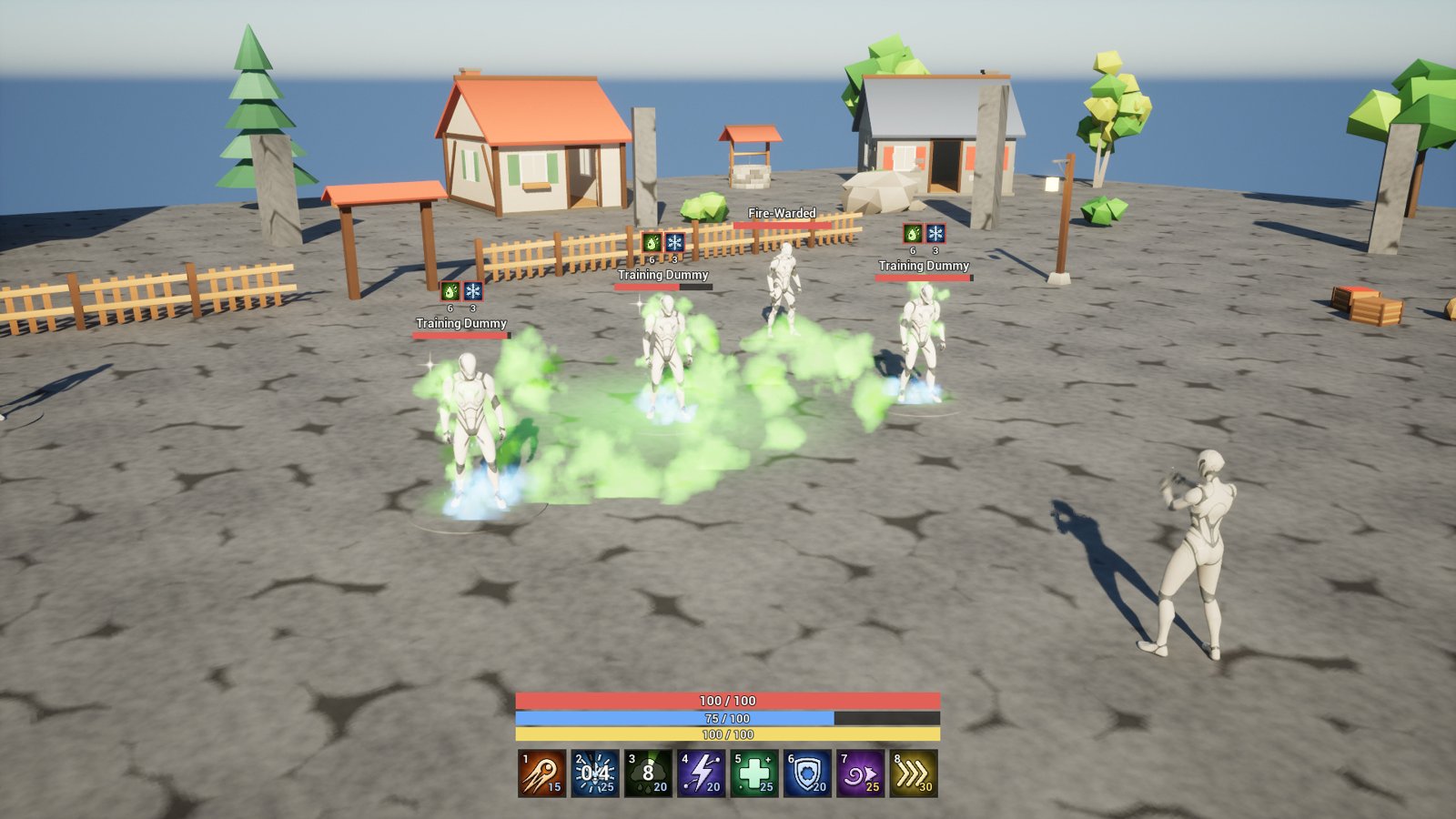
The statuses
While a status runs, its target has the tag Status.<Status>, shows its icon with its stacks and
seconds left over its bar and on the HUD, and plays its Niagara loop. Nothing lands on the dead.
| Status | What it does | Lasts |
|---|---|---|
| Burning | 6 fire damage a second. | 5 s, started again by another burn |
| Poisoned | 3 poison damage a second for each stack, up to 5. | one stack wears off every 6 s |
| Bleeding | 2 physical damage every half second for each stack, up to 10. | one stack stops every 4 s |
| Chilled | 15% slower for each stack, up to 3. A chill on three stacks freezes instead. | one stack wears off every 4 s |
| Frozen | Can’t move or use abilities. | 3 s |
| Stunned | Can’t move or use abilities. | 2 s |
| Rooted | Can’t move, but can still use abilities. | 3 s |
| Silenced | Can’t cast spells: every ability the plugin runs. | 4 s |
| Weakened | Deals 30% less damage. | 6 s |
| Vulnerable | Takes 30% more damage. | 6 s |
| Shielded | A shield takes the next 100 damage. | 8 s |
| Haste | 50% faster. | 6 s |
| Regeneration | Heals 5 a second. | 8 s |
Burning to Vulnerable are debuffs, Shielded, Haste and Regeneration buffs. Only Poisoned, Bleeding and Chilled stack.
Of the plugin’s abilities, Fireball burns, Frost Nova and Frost Bolt chill, Poison Cloud poisons,
Heal gives Regeneration, Barrier shields and Haste hastes. The others are for your own abilities,
Apply Status, or Ability.Effect in the console.
Damage over time
Burning, Poisoned and Bleeding deal their damage each tick, per stack, typed: fire, poison and physical. It goes through the damage calculation like any hit, so the target’s resistance or armor and the attacker’s power count, but it never crits. Five stacks of Poisoned deal 15 a second; on a target with a PoisonResistance of 0.5, 7.5.
The first tick comes one period after the status lands, not at once.
Movement
Chilled and Haste change the MoveSpeed attribute, which multiplies a Character’s walk speed: three stacks of Chilled leave 55%, Haste adds 50%. Rooted, Stunned and Frozen hold the Character in place whatever its MoveSpeed, and it moves again as they end.
A fourth chill on a target at three stacks doesn’t stack: Chilled ends and Frozen starts. That is Chilled’s Overflow Into, and any status of your own can turn into another the same way.
Blocking abilities
Stunned and Frozen block every ability, and cancel one being cast. Silenced does the same to the
abilities tagged Ability.Spell, which every ability the plugin runs is, so it stops them all; an
ability class of your own without the tag stays free of it. An ability refused this way says so on the HUD
(“Silenced”) and in the debugger.
Damage dealt and taken
Weakened takes 0.3 off the target’s Power, so everything it deals is 70%. Vulnerable adds 0.3 to its DamageTaken, so everything it takes is 130%, damage over time included.
Shield and healing
Shielded adds 100 to the Shield attribute, which takes damage before health and shows in the health bar. Shielded ends when the shield is used up, and what is left of it goes when Shielded ends. Regeneration heals 5 a second; it is healing, so damage modifiers don’t touch it.
Stacking
A status stacks on its target, whoever applied it. Applying it again adds stacks, up to its limit, and starts its time again. A status of one stack is only refreshed.
When the time runs out, a status of several stacks loses one and starts its time again; a status of one stack ends. An ability applies several stacks at once with Target Effects, Stacks, as Apply Status does.
Immunity
A target with the tag Immune.<Status> can’t get that status, and Immune.Debuff keeps every
debuff off. Give the tag as you would any gameplay tag:
- a gameplay effect that grants it, among a component’s Starting Effects;
- Add Loose Gameplay Tags with the actor, on the server, for something that is simply immune.
The buffs have no immunity. A resistance of 1 is immunity to a damage type, not to a status: a target with a FireResistance of 1 still burns, for no damage. The demo’s Fire-Warded dummy has both.
Cleanse
Cleanse (Target, Tags) removes every running effect that grants one of the tags, or carries one
as an asset tag. Every status carries Effect.Buff or Effect.Debuff:
Effect.Debufftakes off every debuff, as the demo’s Heal does;Status.Poisonedtakes off only poison;Effect.Buffstrips the target’s buffs.
An ability’s Cleanses field does the same to each target it hits.
Change a status
Open a status’s GE_ Blueprint and change its class defaults:
- Tick Damage, Damage Type and Tick Healing: per stack and per period.
- Duration Magnitude and Period (under Duration), Stack Limit Count (under Stacking).
- Modifiers, for the attributes it changes: Chilled’s MoveSpeed, Weakened’s Power.
- Overflow Into: the effects applied in place of a stack past the limit, ending this one.
- Its AS Status UI Data component, among its Components: Display Name, Description, Icon, Debuff, and Loop Effect, the Niagara system attached while it runs, at Loop Socket and Loop Offset; on a socket it stays upright and the offset is in the world’s axes, Z up, whatever the bone’s. Apply Sound plays as it lands; it is empty on the plugin’s statuses, which come with no sounds.
To keep the plugin’s untouched, make a child Blueprint of the GE_ in your project, change that,
and use it in your abilities. So that the bars show it, put it in Status Effects in the
settings in place of the original.
Make your own status
- Add a gameplay tag for it,
Status.Blindedsay, and if it can be resisted,Immune.Blinded(Project Settings > Gameplay Tags). - Make a Blueprint class whose parent is AS Status Effect. Give it a Duration Policy of Has Duration, a Duration Magnitude, and stacking as above.
-
In its Components, add:
- Grant Tags to Target Actor, adding
Status.Blinded; - Tags This Effect Has (Asset Tags), adding
Status.BlindedandEffect.Debuff(orEffect.Buff), so cleanses find it; - Require Tags to Apply/Continue This Effect, with
Immune.Blinded,Immune.DebuffandState.Deadamong the Ignore Tags of its Application Tag Requirements; - AS Status UI Data, with its Status Tag
Status.Blinded, a name, an icon and a loop effect.
- Grant Tags to Target Actor, adding
- Give it what it does: modifiers on attributes, tags your own game reacts to, or damage or healing over time: Tick Damage or Tick Healing, a Period, and under Executions one with the Calculation Class AS Damage Calculation.
- Add it to Status Effects in Project Settings > Plugins > Ability & Status Effects, so that
the bars and overheads show it and
Ability.Effect Blindedfinds it.
Apply it from an ability’s Target Effects, or with Apply Status.