Quickstart: casting in your own map
Fifteen minutes from an installed plugin to a character that casts five abilities at targets, with a HUD, cooldowns and status effects, then an ability of your own. No Blueprint graph or C++ is needed.
The steps use a project made from the Third Person template with the plugin enabled (Install). Any Character works the same. To see it all working first, play the demo.
1. Give your character abilities
- Open
BP_ThirdPersonCharacter, inThirdPerson/Blueprints. -
In the Components panel, click Add and pick AS Ability System.
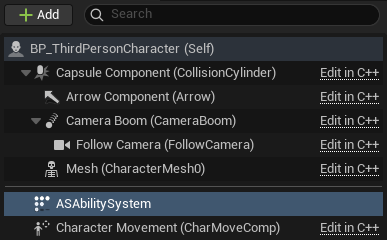
The component added, named ASAbilitySystem in the list. -
With it selected, find Starting Abilities in the Details panel. Click + five times and pick
DA_Fireball,DA_FrostNova,DA_PoisonCloud,DA_ChainLightningandDA_Heal, in that order.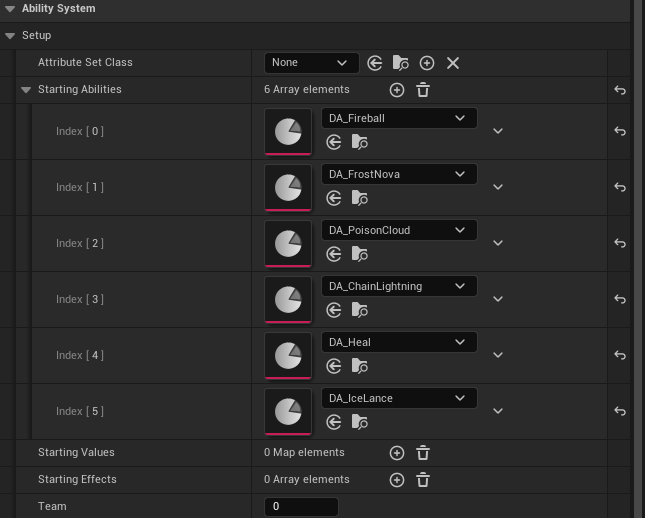
Starting Abilities: index 0 goes on key 1, index 1 on 2, and so on. The sixth, Ice Lance, comes in step 4. - Compile and save.
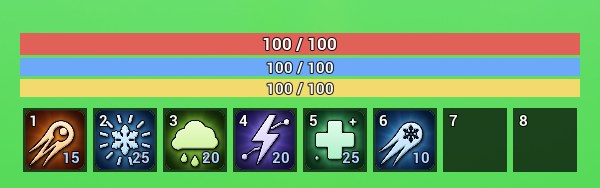
Press Play. Health, mana and stamina bars and a hotbar show at the foot of the screen. The abilities sit on keys 1 to 5, and on a gamepad on the face buttons and shoulders.
2. Make a target
- In the Content Browser, right-click and pick Blueprint Class, then Character. Name it
BP_Targetand open it. -
Select the Mesh component. Set Skeletal Mesh Asset to
SKM_Manny_Simpleand Anim Class toABP_Unarmed. Set its Location Z to-90and its Rotation Z to-90, so it stands on the ground facing forward.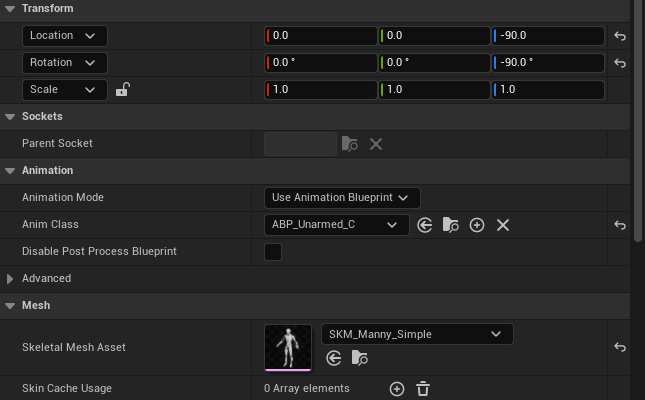
The target’s mesh: the template’s mannequin, standing on the ground. -
Click Add and pick AS Ability System. Under Starting Values, click + twice and set the entries to MaxHealth
300and Health300.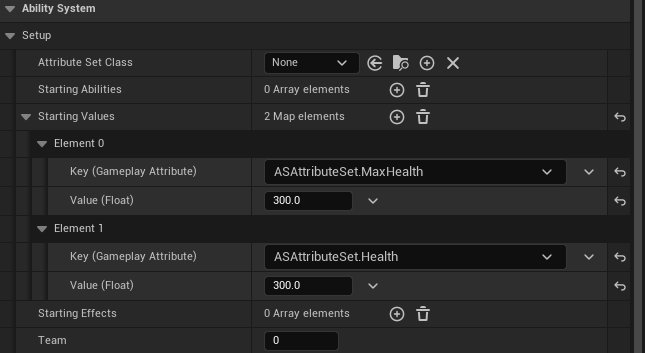
Starting Values: each entry’s key is an attribute, picked from its list, and its value the number it starts at. -
Click Add again and pick AS Overhead Bar. Set its Display Name to
Target.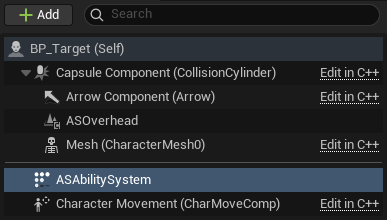
The target’s components once both are added: ASAbilitySystem and ASOverhead. - Compile and save, then drag three
BP_Targets into the map, a few metres in front of the Player Start and close together.
3. Play
Press Play and face the targets.
-
Press 1. The fireball bursts on a target. Damage numbers rise, and the target’s bar shows the Burning icon and its seconds left.
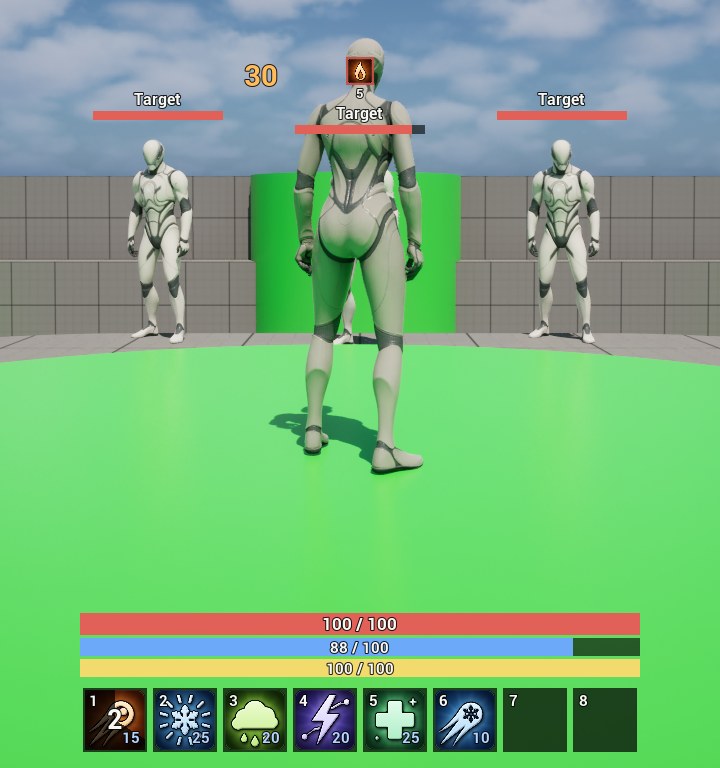
A hit: the damage number, the Burning icon over the target’s bar, and Fireball cooling down on the hotbar. -
Walk in among the targets and press 2. Frost Nova chills everything within 6 metres, two stacks at a time; the icon shows them. A chill on a target already at three stacks freezes it.
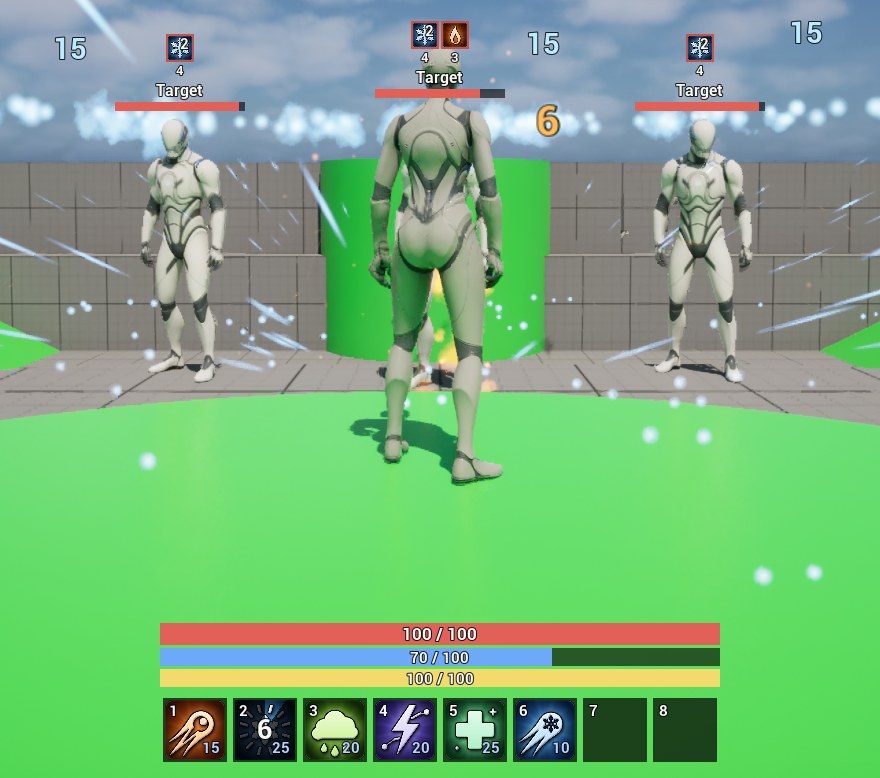
Frost Nova on all three: 15 frost damage each, and the Chilled icon with its seconds left. -
Hold 3. A circle follows your aim on the ground. Let go to leave a poison cloud there for six seconds. Poison stacks once a second on everything inside it.
-
Aim at one target and press 4. Chain Lightning strikes it and jumps on to the others.
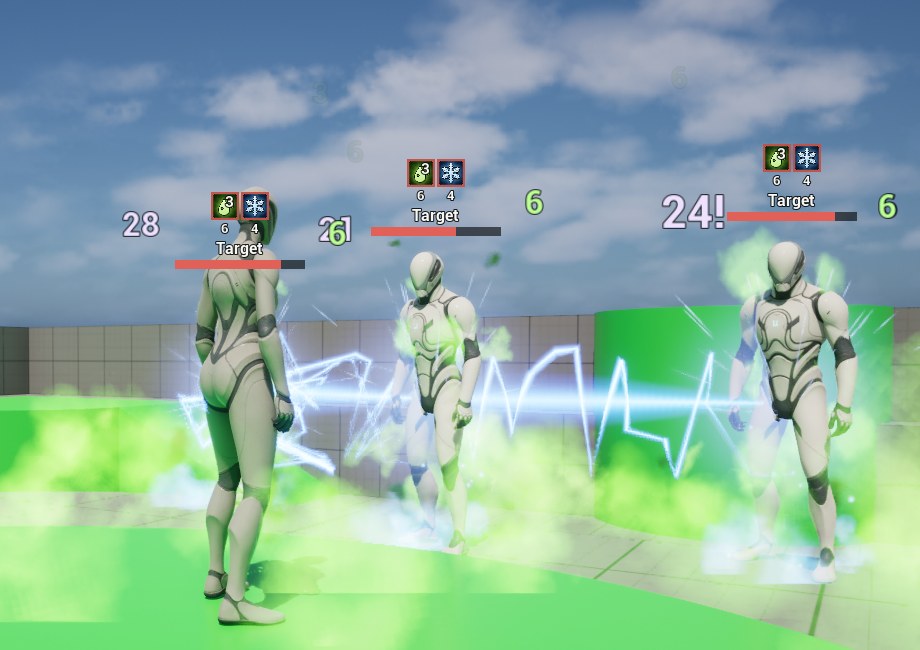
Chain Lightning jumping through the targets in the poison cloud, each jump weaker than the last. -
Press 5. Heal clears your debuffs and heals you over time.
While an ability cools down, its slot shows a sweep and the seconds left. When an ability can’t be used, a line above the hotbar says why: not enough mana, not ready yet, or a status that blocks it.
To see what is going on, press ' (apostrophe) for the Gameplay Debugger. Its AbilityStatus category lists your attributes, each ability with what stops it now, your statuses, and the last ability that failed and why.
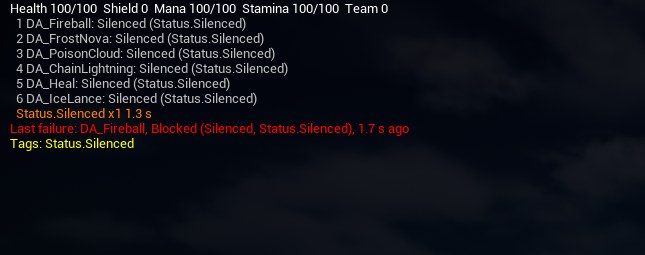
In the console (`), Ability.Effect Stunned stuns the target under the crosshair, and
Ability.List writes everything to the log. The reference lists the rest.
4. Make an ability of your own
- In your project’s Content folder, right-click and pick Gameplay > AS Ability. Name it
DA_IceLanceand open it. -
Fill in:
- Display Name:
Ice Lance - Icon:
T_Ability_FrostBolt - Archetype: Projectile
- Cost:
10, Cooldown:1, Cast Time:0.3 - Damage:
20, Damage Type:Damage.Frost - Target Effects: add one, with Effect
GE_Chilledand Stacks1 - Projectile Speed:
3000 - under Presentation, Effect:
NS_FrostBoltand Impact Effect:NS_FrostImpact
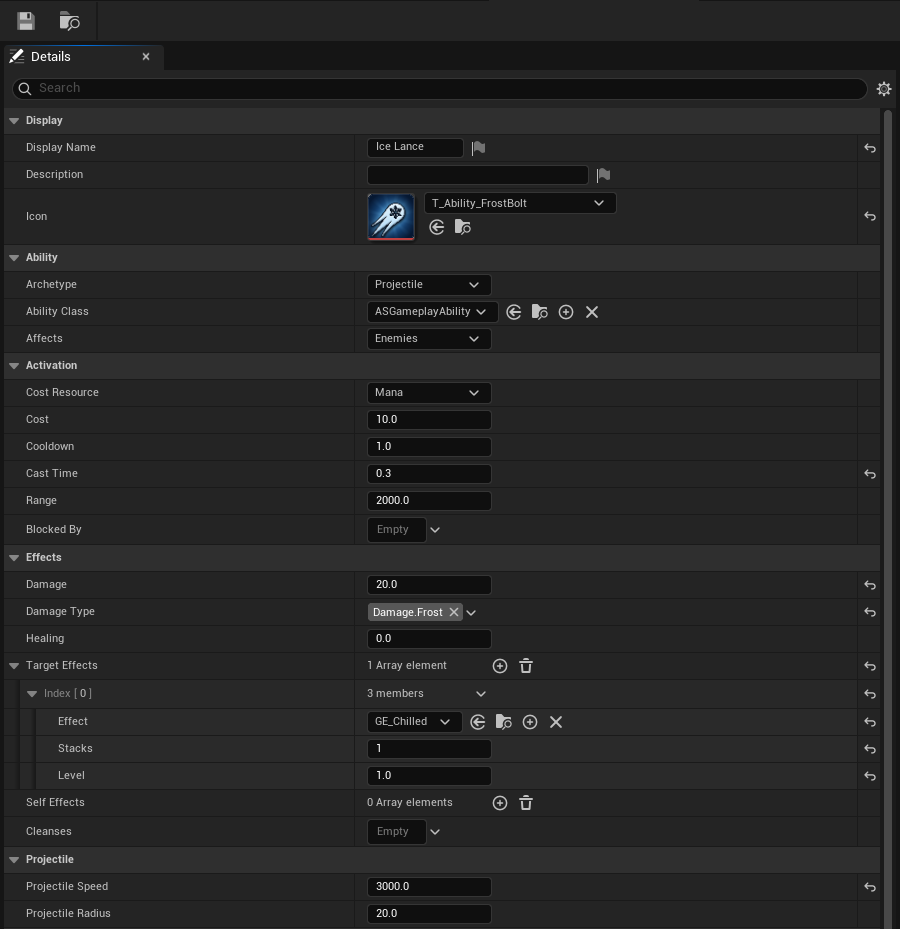
Ice Lance filled in, down to its projectile. Only its archetype’s fields show: a projectile’s speed and radius here. - Display Name:
- Save. If anything is missing, the save says so in the Message Log.
- Add
DA_IceLanceto the character’s Starting Abilities as the sixth entry, and play: it is on 6.
Every field is described in the reference. The archetype decides how the ability finds its targets: a projectile, an area, a cone, a beam, the caster itself, or a channel held down.
Where to go next
- An enemy that casts back: the same component on an AI.
- React to the fight in your own Blueprints: On Damaged, On Healed and On Died.
- Save and load: one node each way.
- Multiplayer: it already replicates; what to keep on the server.
- Change a status’s numbers, or make your own status.
- Play animations as abilities cast.