World Map, Minimap & Compass System
A world map, a minimap and a compass bar for Unreal Engine 5.6 to 5.8, as one C++ plugin with all of it usable from Blueprint. The map is drawn from your own level in one click, and the fog, pins and tracked marker work in multiplayer and save into your own save game.
Try it first: the playable Windows demo is free, about 300 MB; unzip it and run the exe.
What it does
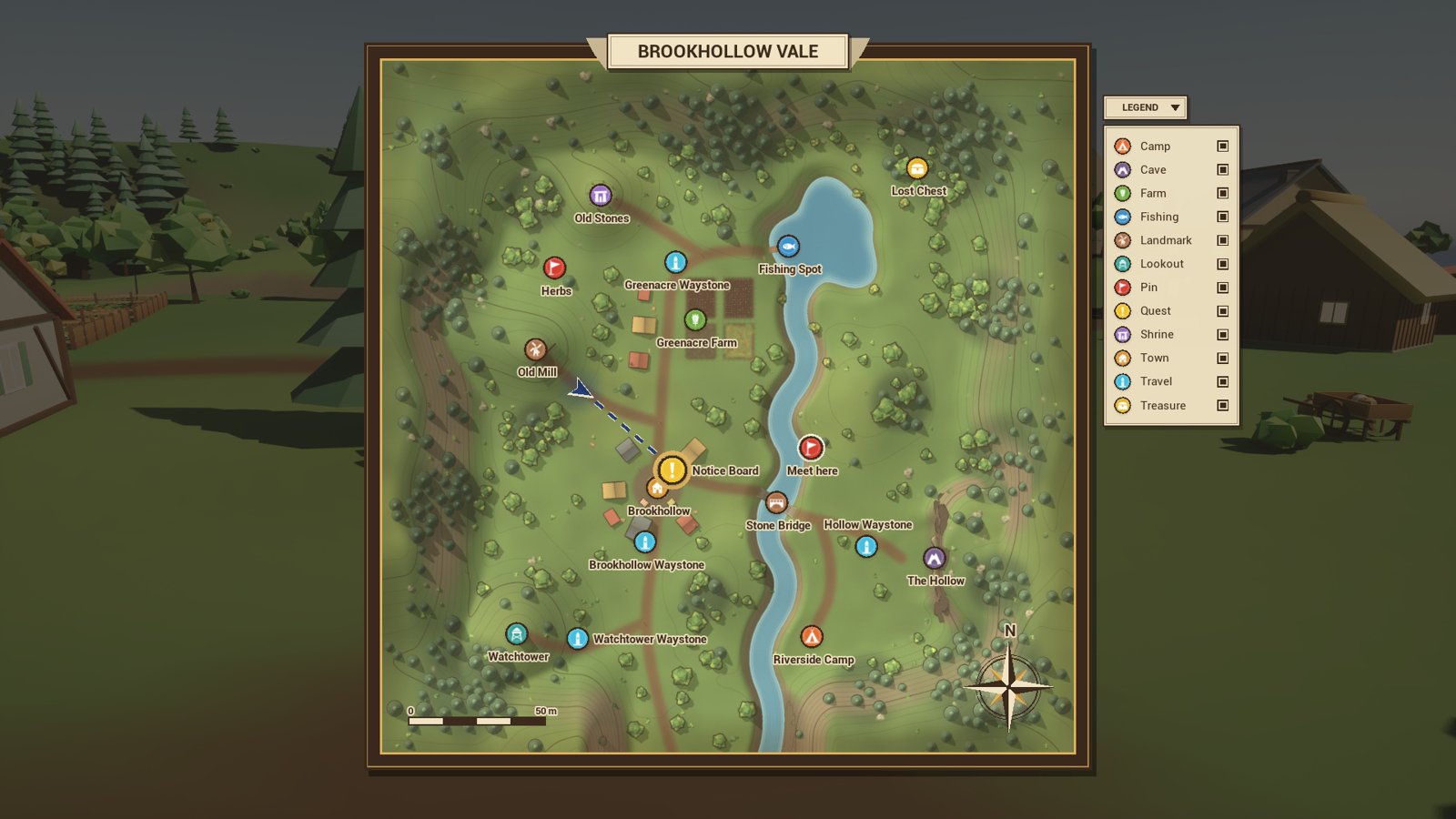
- The map is drawn from your level: a Map Region over it and its Capture Map button shoot the level from above and save the picture as a texture. It comes as an inked atlas or as a photo of the level as lit.
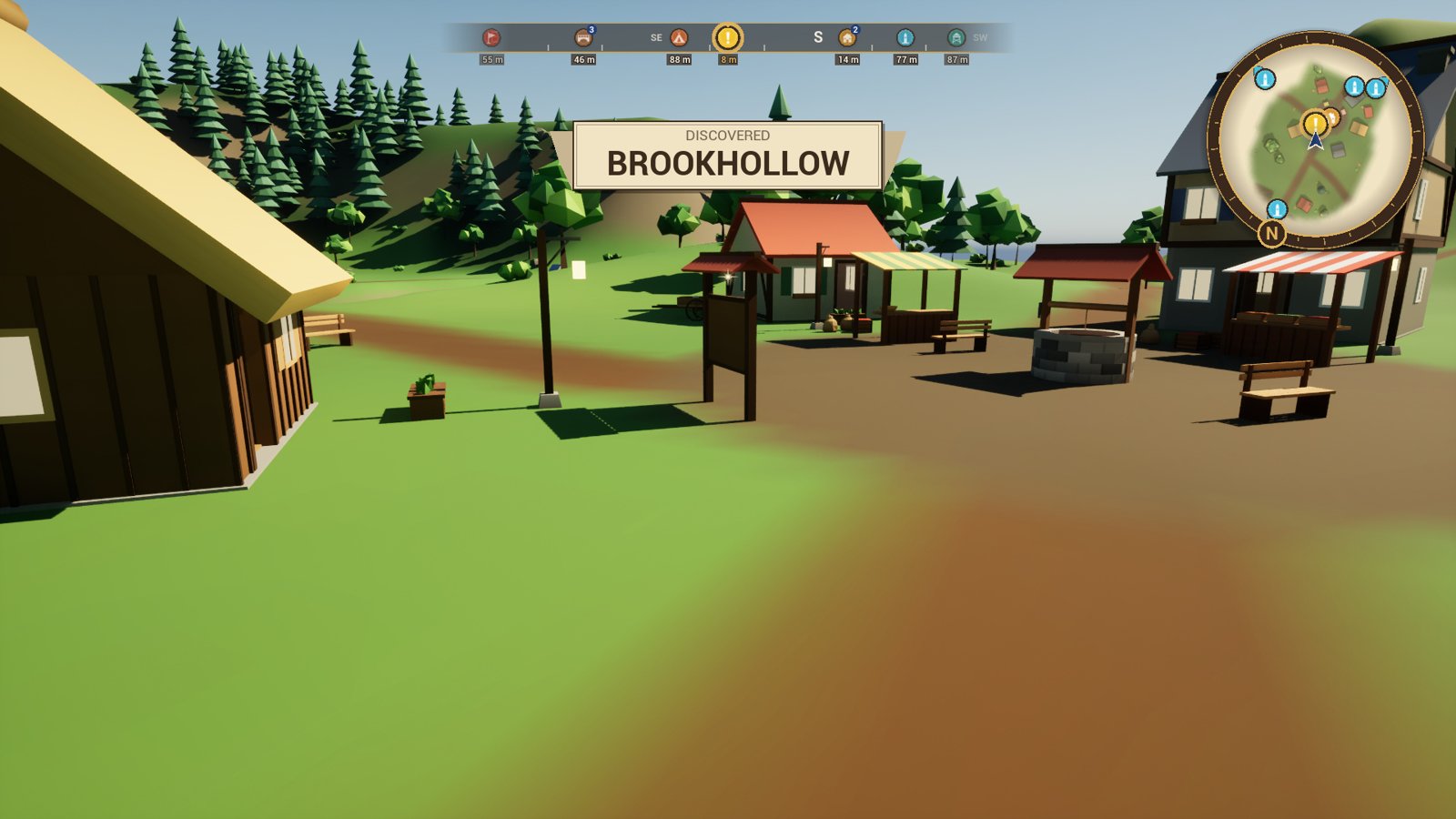
- The views: a minimap, a compass bar with each marker’s bearing and distance, markers over their places on screen, and the world map with a legend, tooltips and the player’s own pins.
- Markers go on any actor as a component, stand alone as an actor, or are only data (a pin); each has an icon, a label, a category and a colour.
- Fog of war: each player’s map is uncovered as they walk, and named areas announce themselves as they’re found.
- Tracking: the tracked marker is lit on the compass, held at the minimap’s rim, and a route on the navmesh leads to it.
- Floors: a region inside another is a floor of it, a cave or a cellar, with its own map, switched as the player goes down.
- Multiplayer: the server owns each player’s fog and pins; shared pins and pings reach the team only.
- Save: one node gives the player’s map for your save game, one gives it back.
- Glints: a small sparkle over what the player can use, on or off per thing or for the whole game.
What’s in the zip
| Folder | What it holds |
|---|---|
Source/MapCompass |
The plugin itself: regions, areas, markers, the player’s map, the widgets, save and multiplayer. |
Source/MapCompassEditor |
The editor’s part: the region’s Capture Map button. |
Source/MapCompassDemo |
The demo’s game mode, character and screen. Nothing of yours depends on it. |
Content/Icons |
Fourteen marker icons: town, waystone, quest, camp, cave, farm, fish, flag and more. |
Content/Demo |
The demo valley, its buildings and its captured maps. |
It needs the engine’s Enhanced Input plugin, which it turns on with it. It runs on Windows, Mac and Linux.
The demo
The pictures above are the plugin’s own map, Demo/L_Valley: a valley with a village, a mill,
fields, a river, a lake, four waystones and a cave of two floors.
Open Plugins > World Map, Minimap & Compass System > Demo > L_Valley (where it is) and press Play.
The notice board is tracked from the start. M opens the map: the wheel zooms, a drag pans, a click on a marker tracks it, a click on a waystone travels there, a right-click places a pin and the middle button pings. Save Map, Load Map and Forget Map sit beside it, and F5 and F9 save and load while walking. The waystones, the notice board and the lost chest glint: they are what a player would use. Its World Settings use the demo’s own game mode, so it plays the same in any project.
To see two players, each with their own fog, play it as a team.
Where to go next
- Install: from Fab to the plugin enabled in your project.
- Quickstart: a map, a minimap and a compass in your own level, in fifteen minutes.
- How-tos: markers from Blueprint, glints, quest goals, fast travel, floors, saving, your own screen, multiplayer.
- Concepts: how regions, areas, markers and the player’s map fit together.
- Reference: every Blueprint node, setting and console command.
- Troubleshooting: when something doesn’t happen as it should.
Questions and bug reports are welcome in the listing’s comments on Fab, or by email to spyridwn.pd@gmail.com.