RPG Skill Tree & XP System
XP, levels and skill trees for Unreal Engine 5.6 to 5.8, as one C++ plugin with all of it usable from Blueprint. Tracks and trees are data assets, the screens come ready, and progress works in multiplayer and saves into your own save game.
Try it first: the playable Windows demo is free, about 300 MB; unzip it and run the exe.
What it does
- Tracks level a player up by XP: a character level, or Farming, Fishing and Combat apart. Each has its own XP curve, cap and points per level, and can boost XP by source.
- Skill trees are made of ranked nodes, each costing its track’s points. A node can require other nodes, a level or gameplay tags, or be one of an exclusive choice. The tree asset draws a preview as you edit it and checks that every node can be learned.
- Rewards come with each rank or level: a gameplay tag, a stat, a Gameplay Ability System ability or effect, or an event for your own Blueprints.
- Ready-made UI: XP bars, a level-up toast and a tree screen for mouse, keyboard and gamepad, each replaceable by your own Widget Blueprint.
- A glint on what the player can pick up, use or train on, a small sparkle each item or prop can carry and a game can turn off.
- Multiplayer: the server owns progress; learning and respecs asked for on a client are checked there.
- Save: one node writes all progress into your save game, and one reads it back.
What’s in the zip
| Folder | What it holds |
|---|---|
Source/ProgressionTree |
The plugin itself: tracks, trees, the components, rewards, UI, save and multiplayer. |
Source/ProgressionTreeEditor |
The editor’s part: the asset types, the tree preview and the checks on save. |
Source/ProgressionTreeDemo |
The demo’s game mode and characters. Nothing of yours depends on it. |
Content/Input |
The input action and the mapping context for the tree screen. |
Content/Icons, Content/UI |
The demo’s skill icons and the screens’ icon material. |
Content/Glint |
The glint’s material, M_PTGlint. |
Content/Demo |
The demo yard map and its tracks and trees. |
It turns on the engine’s Enhanced Input and Gameplay Abilities plugins with it (Install), and runs on Windows, Mac and Linux.
The demo
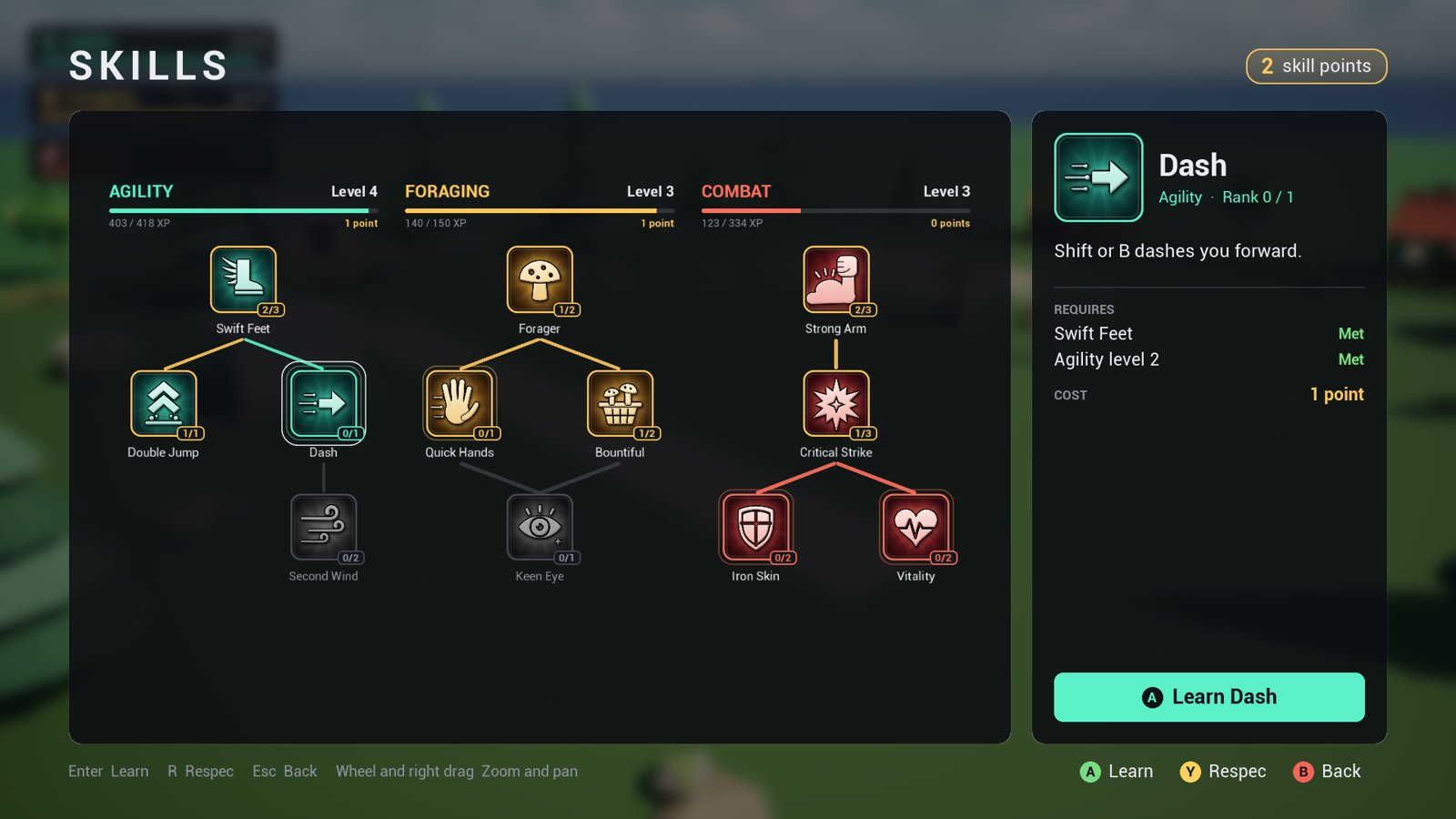
The tree screen above is from the plugin’s own map, Demo/L_Demo: a yard with three tracks to
level up.
- Show the plugin’s content in the Content Browser (how).
- Open Plugins > RPG Skill Tree & XP System > Demo > L_Demo and press Play.
| Track | Its XP | Its tree |
|---|---|---|
| Agility | running, and the orb on the high ledge | a faster run, a double jump, a dash |
| Foraging | picking mushrooms (E) | faster gathering, from further, two at a time |
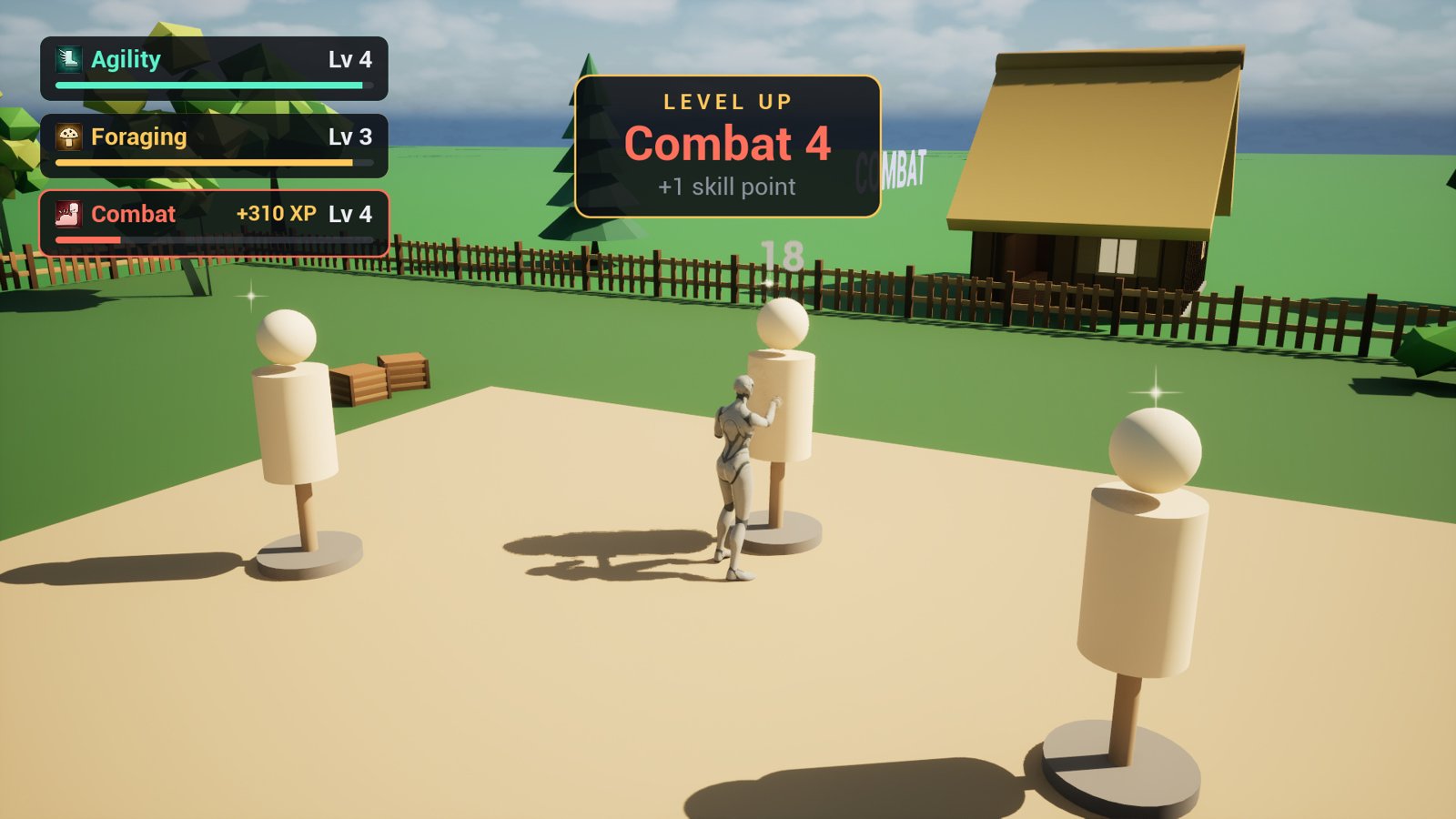
| Combat | punching the training dummies (left click) | harder hits, more often critical |
K opens the trees, and the respec stone by the start unlearns them for a mushroom a point. A glint marks each mushroom, dummy, orb and the stone near enough to reach. F5 saves and F9 loads. Its World Settings use the demo’s own game mode, so it plays the same in any project; F1 hosts a listen server and F2 joins one on the same PC, to try multiplayer.
The player is the Third Person template’s mannequin when your project has it, a capsule otherwise.
E walks the last step to the mushroom or stone in reach. Its punch, gather and offering
to the stone are poses of the demo’s own; its Action Montages play your Anim Montages instead
(set on a Blueprint child of PTDemoCharacter, the Default Pawn Class of a Blueprint child of
PTDemoGameMode in the map’s World Settings).
Where to go next
- Install: from Fab to the plugin enabled in your project.
- Quickstart: a track and a tree in your own map, in fifteen minutes.
- How-tos: XP from kills and quests, abilities, stats, respecs, your own UI, glints, save, multiplayer.
- Concepts: how tracks, trees, rewards and stats fit together.
- Reference: every Blueprint node, setting and console command.
- Troubleshooting: when something doesn’t happen as it should.
Questions and bug reports are welcome in the listing’s comments on Fab, or by email to spyridwn.pd@gmail.com.