Quickstart: a skill tree in your own map
Fifteen minutes from an installed plugin to a character who earns XP, levels up and learns skills. You make a Hero track and a tree of two skills: Sprint, which makes the character run faster, and High Jump after it. Two small Blueprint graphs connect them to your game.
The steps use a project made from the Third Person template with the plugin enabled (Install). Any project whose player uses Enhanced Input works the same.
1. Make the track
A track is what a player levels up in, by XP.
- In the Content Browser, right-click an empty spot and pick Gameplay > Progression Track.
Name it
TK_Heroand double-click it to open it. -
Set Display Name to
Heroand Max Level to10.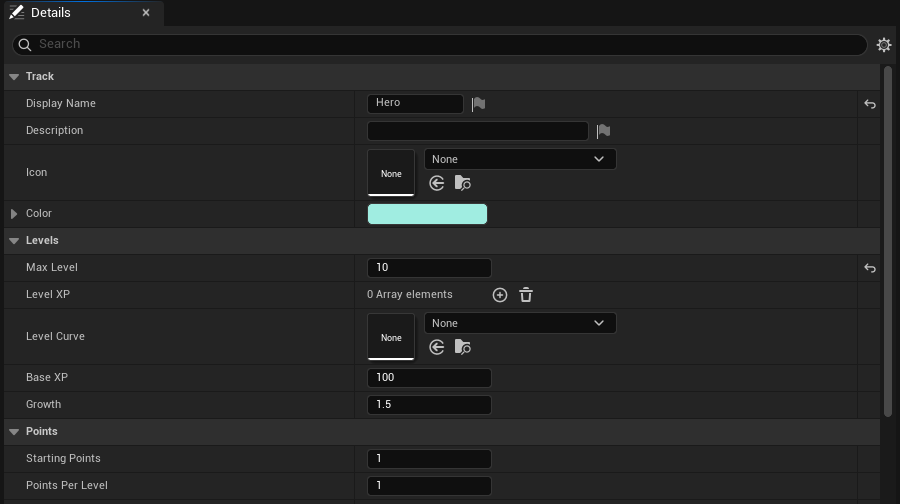
The track. The rest stays as it is. Leave the rest: level 1 to 2 takes 100 XP, each level takes more than the last, and every level gives one point to spend.
- Click Save.
2. Make the tree
- Right-click again and pick Gameplay > Skill Tree. Name it
ST_Heroand open it. It starts with one node, IdFirst, and the Preview at the top draws the tree as you edit it. - Set Display Name to
Heroand Track toTK_Hero. -
Open Nodes, then the node First, and fill it in:
Field Value Id SprintName SprintDescription Run faster.Position 1,0(column 1, the top row)Max Rank 3 - Click + beside the node’s Rewards, open the new reward and set Type to Stat,
Stat to
RunBonus, Op to Add and Value to100. -
Click + beside Nodes for a second node, open it, and fill it in the same way:
Field Value Id HighJumpName High JumpDescription Jump higher.Position 1,1Required Nodes click +, then type SprintRequired Level 2Rewards one Stat reward: JumpBonus, Add,200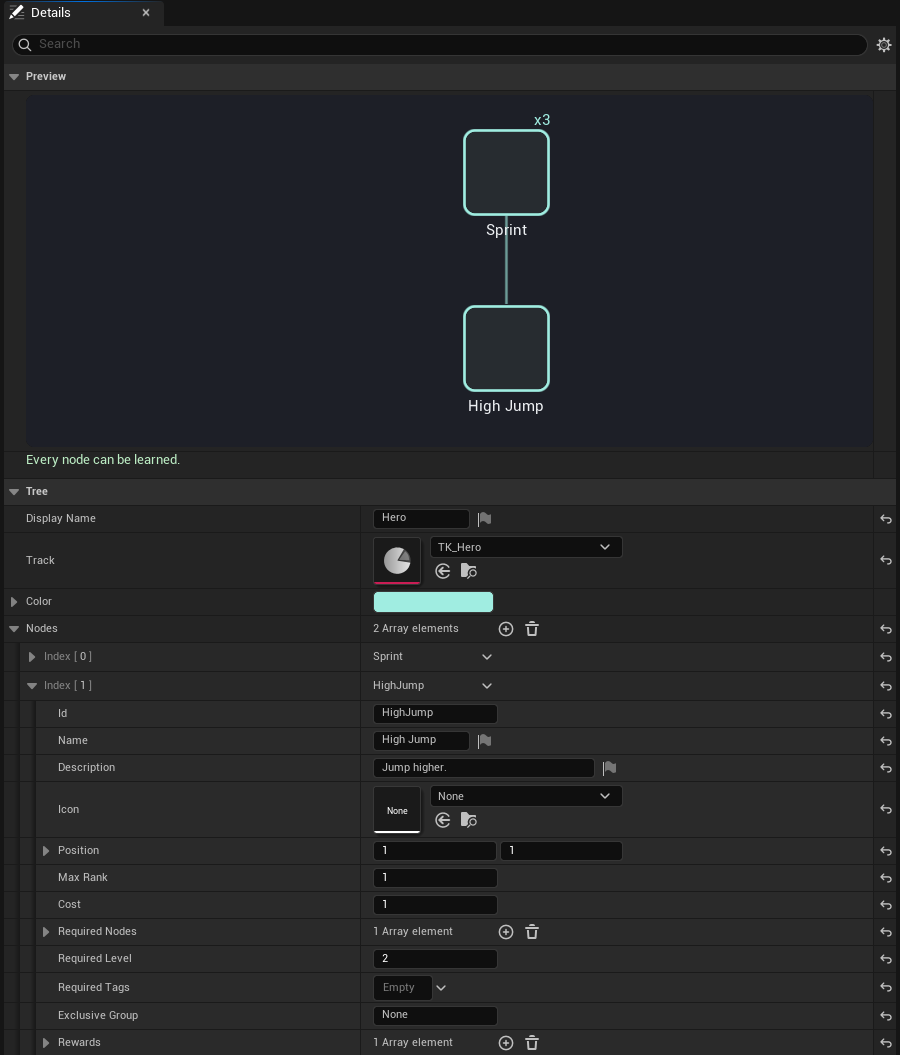
The tree, its preview and check at the top, the second node opened. - Click Save. Under the preview, the check reads “Every node can be learned.”. It is redrawn as you edit, and otherwise lists what is wrong: a node no one can learn, or a warning such as a node without a name.
A node without an Icon shows its frame alone; give each one a texture when you have one.
3. Give the tree to every player
- Open Edit > Project Settings and pick RPG Skill Tree & XP System under Plugins.
-
Click + beside Default Trees and pick
ST_Hero.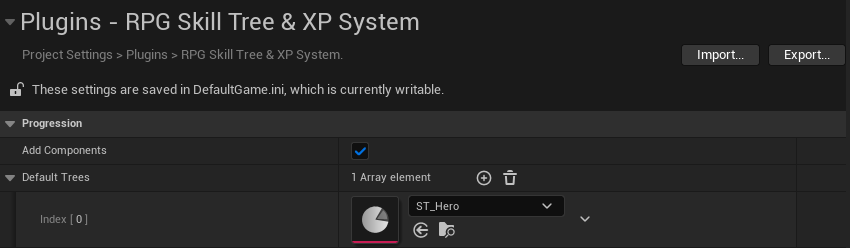
Default Trees: every player starts with these.
4. Use the stats
The rewards are stats on the player’s Stat Component. Your character decides what a stat does: here, run speed and jump height.
- Open
ThirdPerson/Blueprints/BP_ThirdPersonCharacterand its Event Graph. - Right-click, add Event Tick, and from it Is Valid.
- Right-click and add Get Stat Component; its Actor is Self when left empty. Connect its result to Is Valid’s Input Object. It finds the component through the player’s PlayerState, which the character has once a player possesses it.
- From Is Valid, add Set Max Walk Speed (from Character Movement), and after it Set Jump Z Velocity.
- Feed them the stats: from the Stat Component, Get Stat with
RunBonus, plus500, into Max Walk Speed; Get Stat withJumpBonus, plus700, into Jump Z Velocity. - Click Compile and Save.
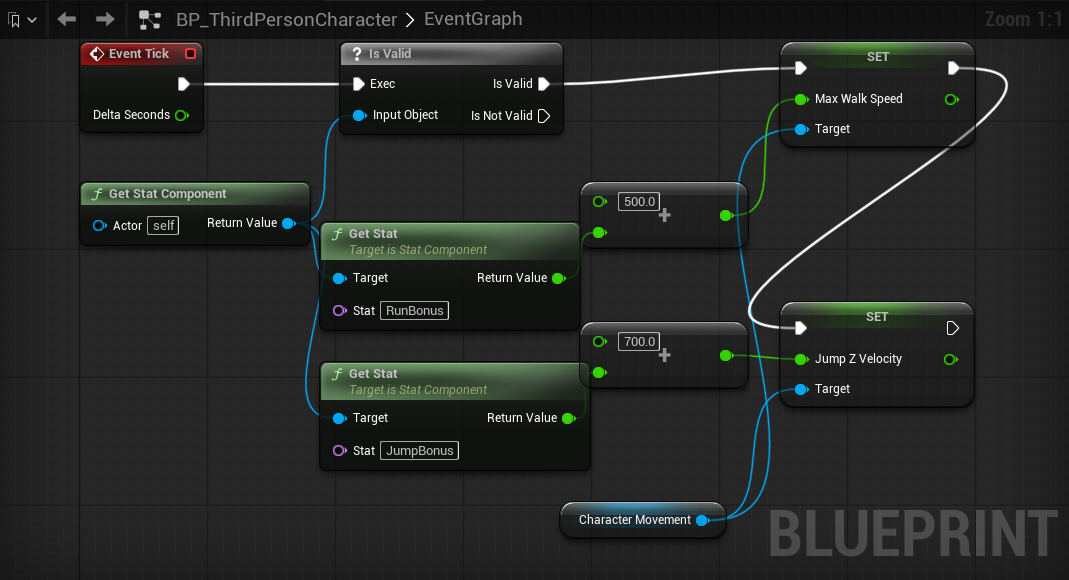
A stat the player has no reward for is 0, so the character runs at 500 and jumps at 700 until they learn a skill. Stats replicate, so this works the same on every machine in multiplayer.
5. Give XP
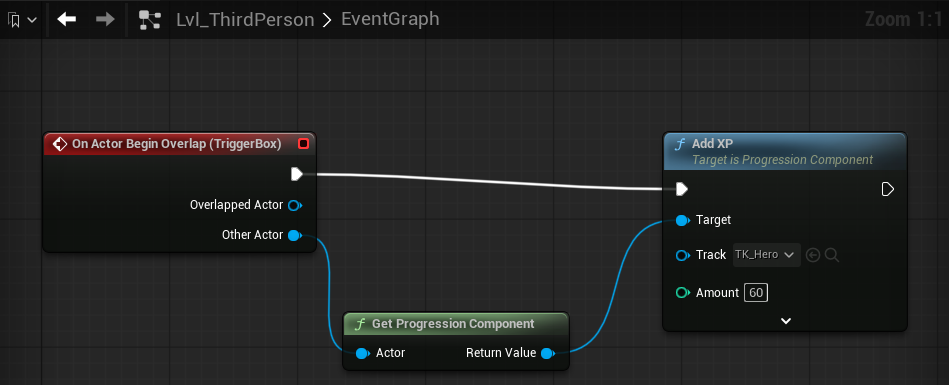
Anything gives XP with one node, Add XP. Here a box in the map does.
- Open Window > Place Actors, search for
Trigger Box, and drag one into the map some way from the player start. - With the box selected, open the Level Blueprint (Blueprints > Open Level Blueprint in the toolbar). Right-click and pick Add Event for TriggerBox > Collision > Add On Actor Begin Overlap.
- From Other Actor, add Get Progression Component, and from its result Add XP.
- On Add XP, set Track to
TK_Heroand Amount to60. Connect the event to it. - Click Compile, then save the map.
6. Play
Press Play.
-
Walk into the box, out, and in again: 60 XP each time. The Hero bar at the top left fills, and at 100 XP a toast says you reached level 2. The bar adds up gains that come close together, so it shows “+120 XP”, and 20 of the 283 XP level 2 takes.
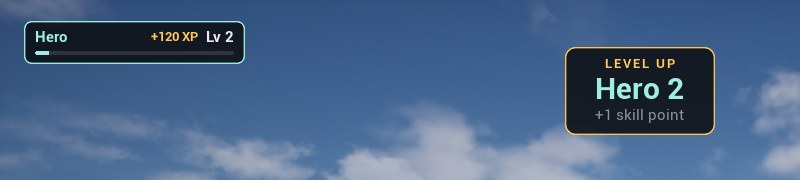
Level 2, and the point it gave. -
Press K. The tree screen shows Hero’s level, its points, and the two nodes. Click Sprint to learn it: you now run faster.
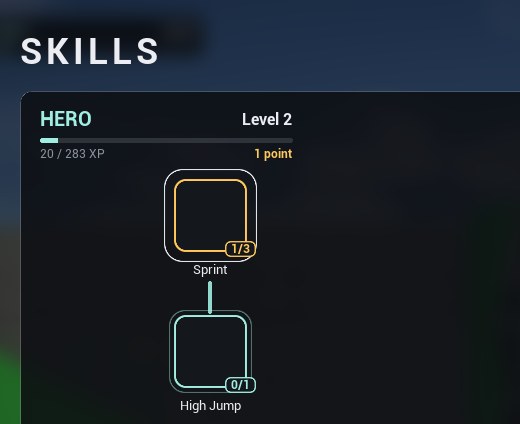
Sprint learned: one of its three ranks. -
Hover High Jump. With Sprint learned and level 2 reached, it can be learned; before, it lists what is missing.
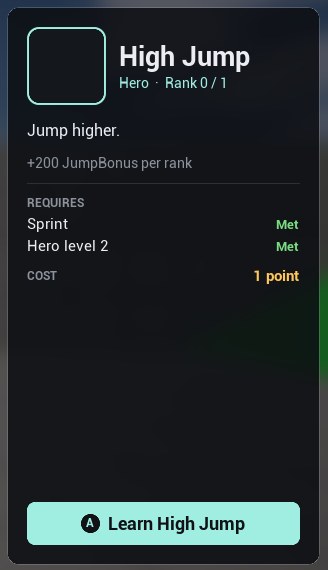
High Jump’s details: what it gives, what it requires, and its cost. -
Press K or Esc to close it.
On a gamepad, View opens the screen, the left stick moves between nodes, A learns, Y unlearns (a respec), the bumpers change tree and B closes.
To watch it all as you play, press ' (apostrophe) for the Gameplay Debugger: its
Progression category lists the player’s tracks, nodes, tags and stats as they change. In the
console (`), Progress.XP TK_Hero 500 gives XP and Progress.Why ST_Hero HighJump
says what a node lacks.

If something doesn’t happen as written, Troubleshooting has each step’s usual cause.
Next
- Give XP for kills, quests or anything else.
- Grant a Gameplay Ability System ability from a node.
- Concepts: how tracks, trees, rewards and stats fit together.