Procedural Village Generator
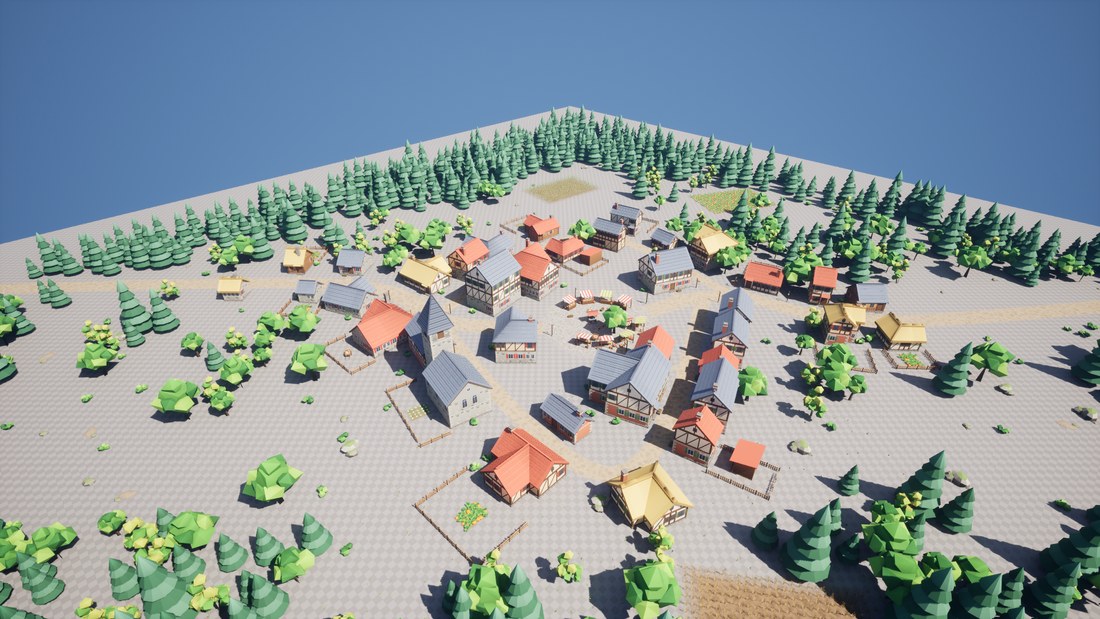
A village from a seed, for Unreal Engine 5.6 to 5.8, as one C++ plugin with all of it usable from Blueprint. Drop a village into your level and it lays out roads, houses, a market square, yards, fields and woods on your ground. Change the seed and you get another village. Every bed, workplace, bench and field is data your game can read.
What it does
- Villages from a seed: two to four roads out of a square, lanes between them, houses along them, fenced yards behind, fields outside and pine woods round the edge. The same seed builds the same village every time, in the editor, in a packaged game and on every machine in multiplayer.
- Houses from modules: walls, corners, gables, roofs and foundations on one grid, so houses come in any length, one to three storeys, as rectangles, L shapes and T shapes. The middle of the village stands two storeys high in stone, brick and plaster; the edge is low and thatched.
- Buildings with a role: an inn on the square, a church near it with a nave and a spire, a smithy where a road leaves the village, a bakery, farms at the edge, and homes for the rest.
- Rules as data: a village type data asset sets the size, the roads, the rings of houses, the roles and where each goes, the fields and the woods. Duplicate it to make a hamlet or a market town.
- Places your game reads: beds, workplaces, seats, counters, a notice board and the well’s gathering spots, each with the way to face. Claim one for an NPC with Get Home or Get Work Spot.
- Named areas: the village, its core, the square, each field, the meadow and the woods. Ask whether a point is in one, or find a random free spot in it. Spawn rules put your actors in an area as play begins, such as villagers in the village or deer in the meadow.
- Your ground: it builds on the landscape or meshes under it, levels each house on a foundation and leaves empty any plot that is too steep.
- Edits that last: move, pin or remove a building from Blueprint. The rest of the village is rebuilt round it, and your edits are kept with the seed in your save game.
- Your own kit: the stylized kit is only the default look. Point a kit data asset at your own walls, roofs and props.
- Bake to actors: one click turns the village into plain level actors that World Partition can stream, for you to finish by hand.
- At run time: build a village from a seed during play, on a background thread if you like, for a sandbox or a roguelite.
- PCG nodes: Village Points gives your own PCG graph the buildings, places and roads as points. Village Clearance keeps scattered points off them.
It makes villages on dry land. Version 1 has no water: no rivers, streams, ponds or lakes, and no bridges. It has no city blocks, no castle or town walls, and no interiors: houses are closed shells with shut doors. It builds on the terrain you give it and doesn’t shape terrain of its own.
What’s in the zip
| Folder | What it holds |
|---|---|
Source/VillageGenerator |
The plugin itself: the layout, the village actor, the kit and village type assets, baking, the console commands and the automation tests. |
Source/VillageGeneratorPCG |
The Village Points and Village Clearance PCG nodes. |
Source/VillageGeneratorDemo, Content/Demo |
The demo map, Demo/L_Demo, and what it plays. |
Content/Glint |
The glint’s material. |
Content/DA_VG_Village |
The default village type: three rings, an inn, a church, a smithy, a bakery and two farms. |
Content/Kit |
The stylized kit: DA_VG_StylizedKit and its meshes, materials and textures. Five wall styles (stone, brick, plaster, ochre, plank), three roofs (tile, slate, thatch), props, trees, grass, crops and the ground decals; vines, hedges, flowers, reeds and lily pads for dressing. |
It needs the engine’s PCG plugin, which it turns on with it. PCG is marked Beta in 5.6 and is a full release from 5.7. The plugin runs on Windows, Mac and Linux.
The demo
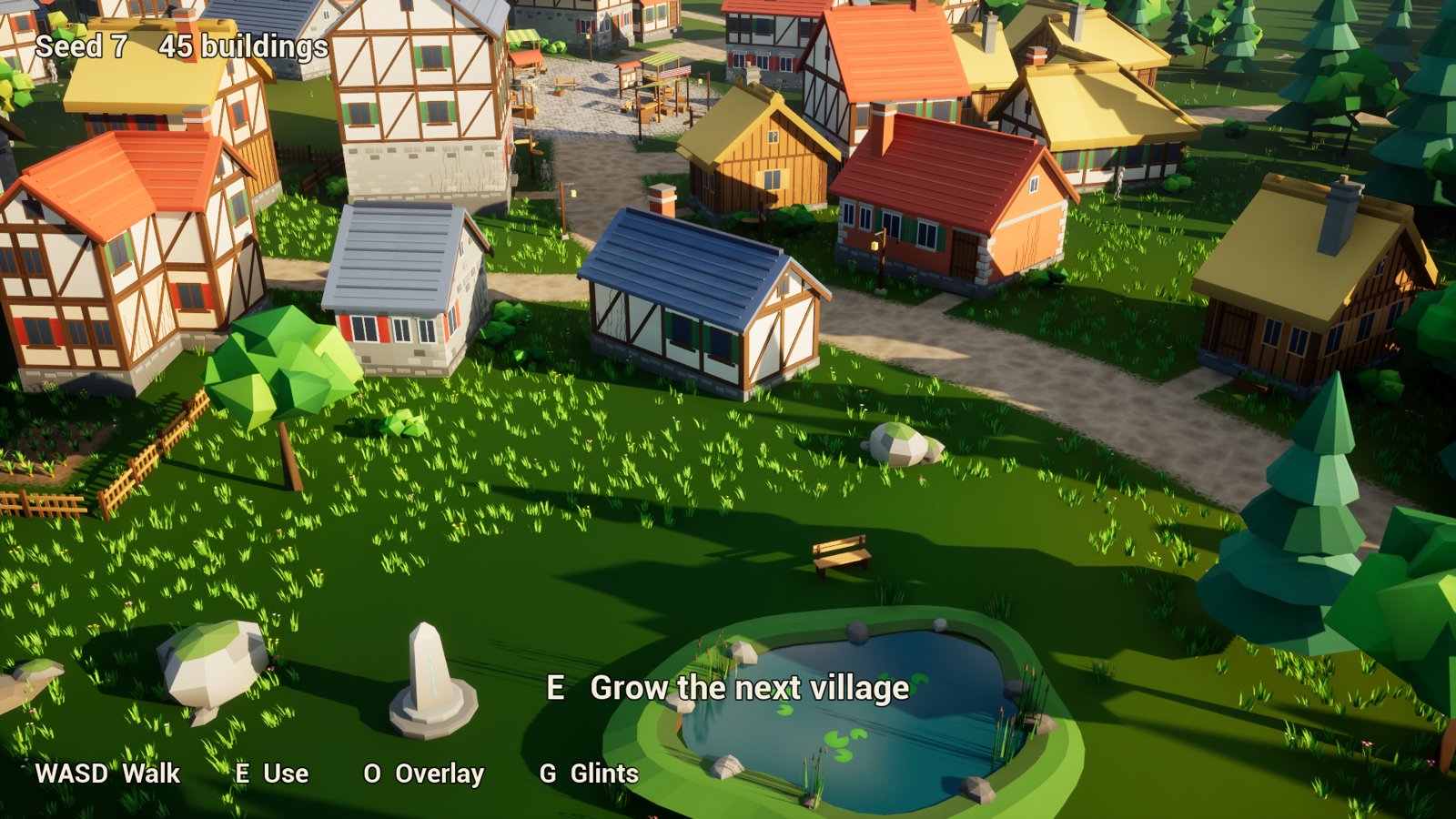
Demo/L_Demo is a village of 45 buildings on rolling ground at golden hour, with villagers walking
between their homes and work. At its edge, in a clearing the village keeps free, a waystone stands
by a pond.
- Show the plugin’s content in the Content Browser (how).
- Open Plugins > Procedural Village Generator > Demo > L_Demo and press Play.
Walk with W A S D and the mouse. E at the
waystone builds the next of its six seeds (7, 3, 20, 11, 28 and 33) round you; at the notice board
on the square it lists the village’s buildings by role and draws its places and areas.
O shows or hides that overlay, and G the glints on the stone and the board. On
a gamepad, the left stick walks, the right looks, A uses, Y shows the overlay and X the
glints. Its World Settings use the demo’s own game mode, so it plays the same in any project.
The villagers walk on a navmesh that game mode builds as play starts, within the map’s Nav Mesh
Bounds Volume Walks, round every seed’s village.
The vines on the houses’ plain walls and the flowers at their feet are the demo’s PCG graph,
Demo/PCG_VG_Dressing, on the village’s Village Points; the demo
grows it again each time the village is built. The pond is the demo’s own, kept clear with the
village’s Cleared.
The villagers and your character are the Third Person template’s mannequins when your project has them
(/Game/Characters/Mannequins), and are unseen otherwise. The plugin doesn’t ship Epic’s
mannequins.
Where to go next
- Install: from Fab to the plugin enabled in your project.
- Quickstart: a village in your own level, in ten minutes.
- How-tos: build along your own roads, give NPCs homes and work, spawn by area, edit and save, bake, build at run time, glints, PCG, and the other heyheythere plugins.
- Concepts: seeds, types, rings, roles, places and areas.
- Your own kit: your walls, roofs and props in place of the stylized ones.
- Reference: every Blueprint node, setting, asset field and console command.
- Troubleshooting: when a village doesn’t come out as it should.
Questions and bug reports are welcome in the listing’s comments on Fab, or by email to spyridwn.pd@gmail.com.